PH
PHfrankoister
Forum Expert

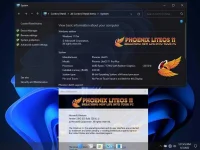
 Phoenix LiteOS 11 Pro Plus (22616.1)
⇝ Windows 11 22H2 Pro Lite Build ⇜
⇝ Designed to Breathe New Life Into Your PC ⇜
 Multi Edition ISO
Multi Language Support!
Updates Paused Until 2099!
Selective File Compression During Setup!
Extreme Performance for your Apps and Games!
Bypasses TPM, Secure Boot, RAM, CPU, and Storage Checks!
Bypasses Microsoft's Forced Account Creation during Setup / Installation!

• Now is the perfect time to start exploring Microsoft's Windows 11 Insider Preview Builds of Version 22H2!
• Windows 11 version 22H2 Insider Preview builds are now released without an expiration date!
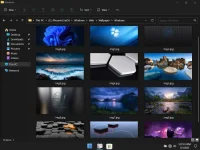
• Microsoft has also removed all watermarks from the desktop, that were present in previous 22H2 Builds.
• Microsoft has also moved Windows 11 version 22H2 Insider Preview Builds to it's Beta Release Channel.

• Removed Features Include - Cortana, Edge, Some UWP Apps.
• Disabled Features Include - Defender, BitLocker Service, Smart Screen, Widgets, Error Reporting, UAC, Ads, Telemetry, Hibernation, Power Throttling, Automatic Maintenance and Download Blocking.
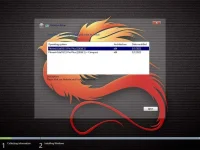
• Multi Edition ISO - Gives you the choice to install this build with our without File Compression. The Compact Edition takes longer to install, but takes up less space, and runs a little lighter.
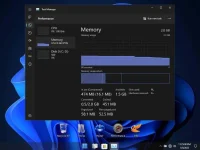
• Performance Prioritized - This build has been designed for Maximum Performance, Responsiveness, and Resource Savings.

• Use Rufus ONLY to write the ISO to a USB Drive.
• Boot from USB Drive, and Perform a Clean Installation to your desired partition.
• Requires 2GB RAM, and 8 GB Storage Space.

• I highly recommend you download and install DX9 and VC++ Runtimes.
• For AMD Ryzen Powered PC's , please download the latest Chipset Drivers
• System Transparency is Disabled by Default, to Enable it, go to Task Manager, Startup Tab, and change clear.exe from disabled, to enabled, and sign out.

Download Here
Big Credits
FBconan TeamOS
Multi Edition ISO Multi Language Support! Updates Paused Until 2099! Selective File Compression During Setup! Extreme Performance for your Apps and Games! Bypasses TPM, Secure Boot, RAM, CPU, and Storage Checks! Bypasses Microsoft's Forced Account Creation during Setup / Installation!• Now is the perfect time to start exploring Microsoft's Windows 11 Insider Preview Builds of Version 22H2!
• Windows 11 version 22H2 Insider Preview builds are now released without an expiration date!
• Microsoft has also removed all watermarks from the desktop, that were present in previous 22H2 Builds.
• Microsoft has also moved Windows 11 version 22H2 Insider Preview Builds to it's Beta Release Channel.
• Removed Features Include - Cortana, Edge, Some UWP Apps.
• Disabled Features Include - Defender, BitLocker Service, Smart Screen, Widgets, Error Reporting, UAC, Ads, Telemetry, Hibernation, Power Throttling, Automatic Maintenance and Download Blocking.
• Multi Edition ISO - Gives you the choice to install this build with our without File Compression. The Compact Edition takes longer to install, but takes up less space, and runs a little lighter.
• Performance Prioritized - This build has been designed for Maximum Performance, Responsiveness, and Resource Savings.
• Use Rufus ONLY to write the ISO to a USB Drive.
• Boot from USB Drive, and Perform a Clean Installation to your desired partition.
• Requires 2GB RAM, and 8 GB Storage Space.
• I highly recommend you download and install DX9 and VC++ Runtimes.
• For AMD Ryzen Powered PC's
, please download the latest Chipset Drivers • System Transparency is Disabled by Default, to Enable it, go to Task Manager, Startup Tab, and change clear.exe from disabled, to enabled, and sign out.
Download Here
Spoiler contents are visible only to Established Members.
Big Credits
FBconan TeamOS