🔒 Closed Help po about sa numbering ng ms word

Status
Not open for further replies.

UnclePeco

Forum Veteran
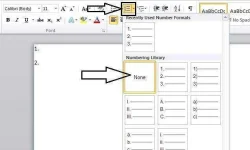
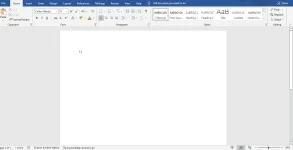
Mga lods patulong naman po, kasi po diba kapag maglalagay ka ng numbers or mag eenumerate ka kusang mag iindent kapag pindot ng space? Eto po kasi kapag space ko nakaganyan lang sya. May napindot po ata ako nakaraan kaya nagkaganyan pero di ko na po alam kung paano maibalik. Salamat po sa makakasagot.
1653547448407.webp
 
Eto from Microsoft site.

Turn on or off automatic bullets or numbering
Word for Microsoft 365 Word 2021 Word 2019 Word 2016 Word 2013 Word 2010
By default, if you type an asterisk or 1., Word recognizes that you are trying to start a bulleted or numbered list. You can turn off the automatic list recognition feature.
  1. Go to File > Options > Proofing.
  2. Select AutoCorrect Options, and then select the AutoFormat As You Type tab.
  3. Select or clear Automatic bulleted lists or Automatic numbered lists.
  4. Select OK
 
Eto from Microsoft site.

Turn on or off automatic bullets or numbering
Word for Microsoft 365 Word 2021 Word 2019 Word 2016 Word 2013 Word 2010
By default, if you type an asterisk or 1., Word recognizes that you are trying to start a bulleted or numbered list. You can turn off the automatic list recognition feature.
  1. Go to File > Options > Proofing.
  2. Select AutoCorrect Options, and then select the AutoFormat As You Type tab.
  3. Select or clear Automatic bulleted lists or Automatic numbered lists.
  4. Select OK
Yown salamat lods okay na hehehe
 
Status
Not open for further replies.

About this Thread

  • 3
    Replies
  • 568
    Views
  • 3
    Participants
Last reply from:
UnclePeco

Trending Topics

Online now

Members online
1,020
Guests online
885
Total visitors
1,905

Forum statistics

Threads
2,276,222
Posts
28,968,417
Members
1,231,173
Latest member
JJJJMMMM
Back
Top