 PH
PHFirst go to this site: You do not have permission to view the full content of this post.
Log in or register now.
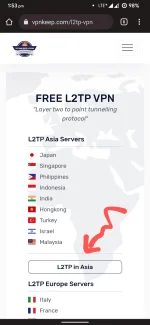
then select LT2P Asia server:
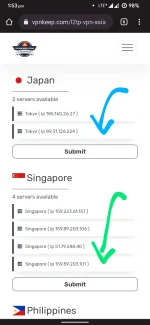
and then choose your desire country:
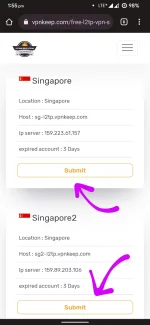
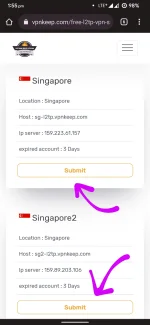
choose any server:
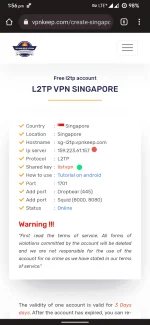
and then take note of the color indicator which you will use for attaching/configuring vpn in your smartphone:
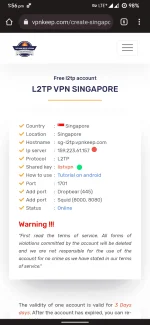
red dot : for your server address
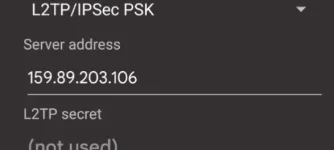
green dot : for your IPSec preshared key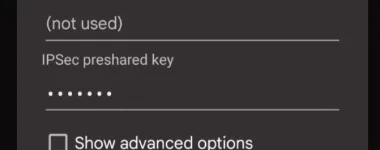
and then create account, kept your username and password:
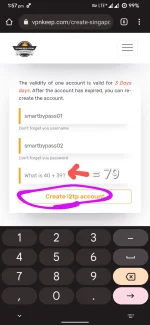
that's it.
After you created your account, go to your smartphone settings:
Network and Internet > VPN > find " + " sign to create VPN profile
Under your profile:
Find 'type' and choose LT2P/IPSec PSK
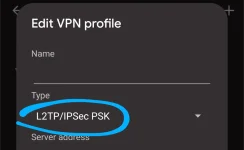
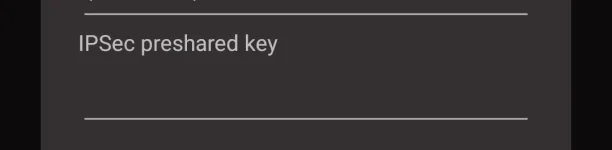
Input your IPSec Preshared key
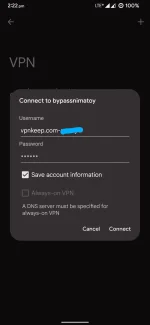
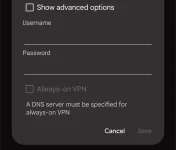
input your saved username and password:
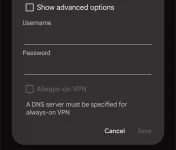
and the click 'save'.
you can now connect your VPN profile and enjoy your bypassed speed cap promo UNLI99 or UNLI299
Thank you!

then select LT2P Asia server:
and then choose your desire country:
choose any server:
and then take note of the color indicator which you will use for attaching/configuring vpn in your smartphone:
red dot : for your server address
green dot : for your IPSec preshared key
and then create account, kept your username and password:
that's it.
After you created your account, go to your smartphone settings:
Network and Internet > VPN > find " + " sign to create VPN profile
Under your profile:
Find 'type' and choose LT2P/IPSec PSK
Input your IPSec Preshared key
input your saved username and password:
and the click 'save'.
you can now connect your VPN profile and enjoy your bypassed speed cap promo UNLI99 or UNLI299
Thank you!