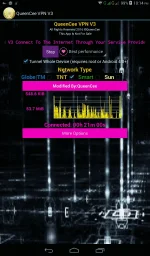
PH
PH
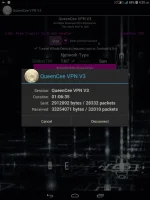
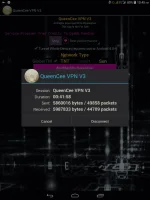
Let us take a look what is inside QueenCee VPN V3...
Sim in use - Talk n Text
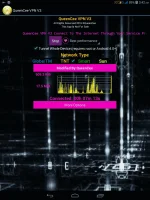
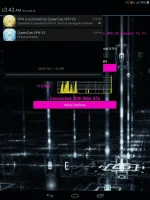
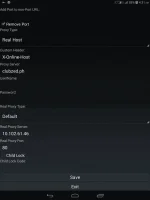
And now for the Settings and Proceedures...
QueenCee VPN V3 For Talk n Text
· Choose one promo from the list below. Register to the said TNT promo via SMS on an Android device.
· Launch QueenCee VPN, then on the Handler Settings, input the corresponding Proxy Server from the chosen TNT Promo. Hit save.
How to Register:
Just text COC10 to 4545
Amount: P10.00
Validity: 3 days
Use m.google.com.ph as your Proxy Server on our VPN.
How to Register:
Just text WATTPAD to 4545
Amount: P10.00
Validity: 3 days
Use m.google.com.ph as your Proxy Server on our VPN.
How to Register:
Just text VIBER10 to 4545
Amount: P10.00
Validity: 3 days
Use tntviber.com as your Proxy Server on our VPN.
QueenCee VPN V3 For Sun
Set APN to wap first...
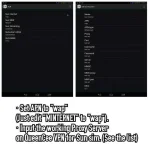
Handler Settings For Sun
Remove Port : Check
Proxy Type : Real Host
Proxy Server : Choose One Below
wap.zed.com
store.gamester.ph
sun.igma.tv
clubzed.ph
myhotspot.ph
imhot.ph
Real Proxy Type : Default
Real Proxy Server : Choose one below
110.3.114.243
220.83.91.45
183.111.169.202
221.131.112.123
10.102.61.46
14.3.167.193
127.69.79.119
210.165.245.132
104.131.28.28
Real Proxy Port : 80/8080
SAVE
Sim in use - Globe
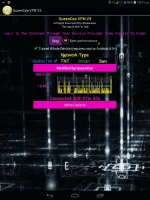
QueenCee VPN V3 For Globe / TM
"use mgc apn phone setting"
MGC APN Phone Setting
Create APN MGC on your phone.
To those who have no idea on how to do it
on an Android phone, you may follow these steps...
1. Settings
2. More
3. Mobile Network
4. Access Point Name
5. Choose Globe Telecom
6. Choose myGlobe Connect
7. Name: my Globe connect
8. APN: You do not have permission to view the full content of this post. Log in or register now.
9. PROXY: 203.177.42.214 or 108.67.222.222
10. PORT 8080
QueenCee VPN V3
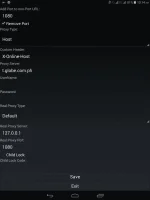
Handler Settings For Globe / TM
Add Port to non Port URL: 1080
Remove port: Check
Proxy Type: Host
Custom Header: X-Online-Host
Proxy Server : choose one below
myglobe.com.ph
globe.mygames.ph
fb.me
libre.ph
m.globe.com.ph
You do not have permission to view the full content of this post. Log in or register now.
You do not have permission to view the full content of this post. Log in or register now.
tm.server-90.bube.com
You do not have permission to view the full content of this post. Log in or register now.
You do not have permission to view the full content of this post. Log in or register now.
You do not have permission to view the full content of this post. Log in or register now.
125.5.112.173
203.177.154.220
209.170.97.175
203.177.57.231
Real Proxy Type: Default/Inject/Socks
Real Proxy Server: Choose one
127.0.0.1
127.8.8.1
126.150.113.196
Real Proxy Port: 1080/1614/8080
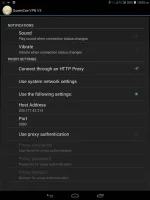
More Option
Connect trough an HTTP proxy: Check
Use the Following settings: Check
Host Address: 203.177.42.214
Port: 8080
And now for the DOWNLOAD links...
You do not have permission to view the full content of this post. Log in or register now.