PH
PHFreenet Corner
Forum Guru
how to download:
{on DLsLink shortener}
{Tips: just always close if there is a popup ads}
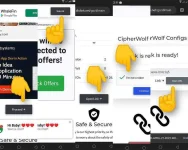
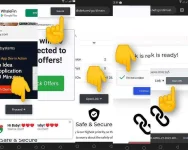
1. scroll down see "Proceed" button
2. after that see at top right 5 secs skip ad
3. then scroll down see "Open Link" button
4. then see check captcha and continue button
5. then see "Open url" button.
just close if there is popup
6. that's it! new windows will open for your link!
{on DLupload ppd link}
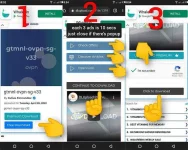
1. select "free download"
2. there are 3 ads.. click each 1 at a time
wait each 10 seconds..just close if there is popup
3. after that see continue download
4. then check the captcha and click download
pisowifi bypass singapore server
sdns setup
5 days expiration
You do not have permission to view the full content of this post. Log in or register now.
mirror:
{on DLsLink shortener}
{Tips: just always close if there is a popup ads}
1. scroll down see "Proceed" button
2. after that see at top right 5 secs skip ad
3. then scroll down see "Open Link" button
4. then see check captcha and continue button
5. then see "Open url" button.
just close if there is popup
6. that's it! new windows will open for your link!
{on DLupload ppd link}
1. select "free download"
2. there are 3 ads.. click each 1 at a time
wait each 10 seconds..just close if there is popup
3. after that see continue download
4. then check the captcha and click download
pisowifi bypass singapore server
sdns setup
5 days expiration
You do not have permission to view the full content of this post. Log in or register now.
mirror:
Spoiler contents are visible only to Established Members.