 PH
PHZ3R0-C0NF1GZ
Forum Guru
Download Links :
Non Estab = You do not have permission to view the full content of this post. Log in or register now.
Setup Instruction :
1.) Download from the links above and extract it.
2.) Run the setup do not change installation location and do not restart after setup.
3.) After open the crаck folder and choose between x32 or x64 depending on your OS.
4.) Open Either Registered or Subscription.
5.) Copy FancyCcV.exe and rxpcc.exe
6.) Double Click Copy Files Here.lnk
7.) Paste the files and restart your PC/Server.
8.) Done.
PrimoCache - Excellent Software Caching Solution to Accelerate Storage
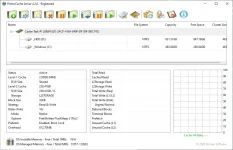
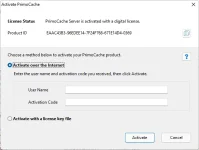
Load Apps and Data Faster - Effectively cache your frequently used applications, documents and other data into faster storage devices, accessing them at up to RAM-like or SSD-like speeds. Make your computer more responsive for creating, gaming and producing, with less boot and load times.
Accelerate Writing. Complete write requests very quickly by temporarily storing incoming data into RAM or SSD storage first and writing them back to target disks later. Enable your computer to handle heavy or stream write IOs, while reducing writes and wear on disks.
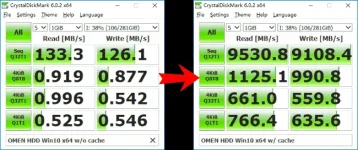
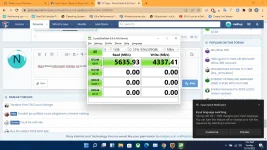
GET 70X FASTER? IT'S NOT IMPOSSIBLE! - As measured on a mechanical hard drive with PrimoCache RAM caching, the drive benchmark scores increased more than 70 times in sequential read/write, and more than 500 times, even to 1000 times, in 4KB random read/write.1
Various and Tiered Caching Storage - Capable of interoperating with almost all faster storage devices, including system memory, invisible memory, solid-state drives and flash drives, to accelerate relatively slow storage.
Two-level caching architecture is created, able to run RAM and SSD caching concurrently. RAM cache is ultra-fast, while SSD cache offers larger capacity and persistent cache. Using only single caching storage is also available.
Simple and Flexible - Setup caching and accelerate storage in just few simple clicks! Special features such as multiple caching strategies, different writing modes, individual read/write space and individual volume control, make caching flexible to various scenarios.
No Data Migrations or Proprietary Hardware - No need to reinstall Windows or applications, no need to migrate documents or data, no need to change computer infrastructure, and no need to invest in proprietary hardware! Enjoy the benefits of storage acceleration in almost any computer.
Non Estab = You do not have permission to view the full content of this post. Log in or register now.
Spoiler contents are visible only to Established Members.
Setup Instruction :
1.) Download from the links above and extract it.
2.) Run the setup do not change installation location and do not restart after setup.
3.) After open the crаck folder and choose between x32 or x64 depending on your OS.
4.) Open Either Registered or Subscription.
5.) Copy FancyCcV.exe and rxpcc.exe
6.) Double Click Copy Files Here.lnk
7.) Paste the files and restart your PC/Server.
8.) Done.
PrimoCache - Excellent Software Caching Solution to Accelerate Storage
Load Apps and Data Faster - Effectively cache your frequently used applications, documents and other data into faster storage devices, accessing them at up to RAM-like or SSD-like speeds. Make your computer more responsive for creating, gaming and producing, with less boot and load times.
Accelerate Writing. Complete write requests very quickly by temporarily storing incoming data into RAM or SSD storage first and writing them back to target disks later. Enable your computer to handle heavy or stream write IOs, while reducing writes and wear on disks.
GET 70X FASTER? IT'S NOT IMPOSSIBLE! - As measured on a mechanical hard drive with PrimoCache RAM caching, the drive benchmark scores increased more than 70 times in sequential read/write, and more than 500 times, even to 1000 times, in 4KB random read/write.1
Various and Tiered Caching Storage - Capable of interoperating with almost all faster storage devices, including system memory, invisible memory, solid-state drives and flash drives, to accelerate relatively slow storage.
Two-level caching architecture is created, able to run RAM and SSD caching concurrently. RAM cache is ultra-fast, while SSD cache offers larger capacity and persistent cache. Using only single caching storage is also available.
Simple and Flexible - Setup caching and accelerate storage in just few simple clicks! Special features such as multiple caching strategies, different writing modes, individual read/write space and individual volume control, make caching flexible to various scenarios.
No Data Migrations or Proprietary Hardware - No need to reinstall Windows or applications, no need to migrate documents or data, no need to change computer infrastructure, and no need to invest in proprietary hardware! Enjoy the benefits of storage acceleration in almost any computer.
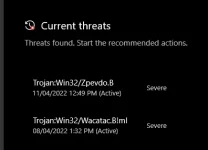
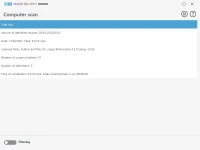
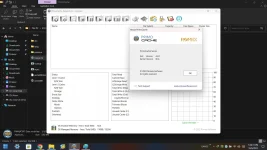
 reuploaded