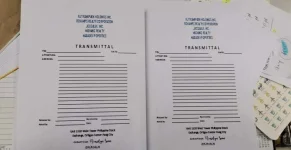
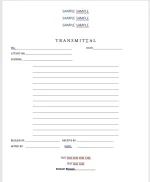
🔒 Closed Pano yung ganito set up sa ms word

Status
Not open for further replies.
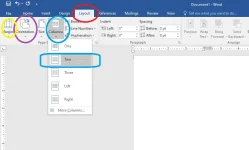
kung ms word 2016, punta ka sa tab ng Layout - adjust mo yun Orientation(icon) sa landscape, adjust mo yun Margin icon sa desired o gusto mo like 0.5 inch lahat top bottom left right, tapos Columns icon set mo sa 2... tapos ready na gumawa ng text at insert table


1.png
 
Status
Not open for further replies.

About this Thread

  • 5
    Replies
  • 730
    Views
  • 6
    Participants
Last reply from:
taurexn

Trending Topics

Online now

Members online
1,052
Guests online
7,749
Total visitors
8,801

Forum statistics

Threads
2,354,218
Posts
29,382,728
Members
1,079,373
Latest member
juanega05
Back
Top