 PH
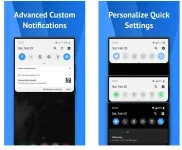
PHOne Shade will bring you a new horizon. Here, you are free to edit and reinstall every skin on your device to make it unique and different. Besides, you can also create dynamic notifications, constantly updating and providing you with information every second. Take advantage of this application to create unique and attractive things for your phone right now.
Add your own personal touch to the standard layout.
– You have the option of receiving, reading, or disregarding it.
– The best music: Depending on the cover art, the colors change. Progress bars on the notification’s progress bar let you go back and forth between tracks.
– Immediately respond to communications. For the Android platform.
– Do you find it annoying when a single app is constantly sending you notifications? Now they’re all in the notification bar so you can get to them quickly.
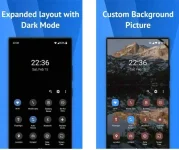
– Choose a background image that you like best.
– Themes for the notification cards in Android 10
Download link:You do not have permission to view the full content of this post. Log in or register now.
 Features
Add your own personal touch to the standard layout.– You have the option of receiving, reading, or disregarding it.
– The best music: Depending on the cover art, the colors change. Progress bars on the notification’s progress bar let you go back and forth between tracks.
– Immediately respond to communications. For the Android platform.
– Do you find it annoying when a single app is constantly sending you notifications? Now they’re all in the notification bar so you can get to them quickly.
– Choose a background image that you like best.
– Themes for the notification cards in Android 10
- Light: the regular alerts you’ll receive.
- In the case of a colored notification, the card’s background color matches the notification’s color.
- On a black background, all alerts are shown (great on AMOLED screens).
- Add a color to the background or foreground of the quick settings panel (icons).
- Colorize the brightness slider.
- Useful icons with information about the device.
- Select a picture of yourself from your profile to use as the Shade.
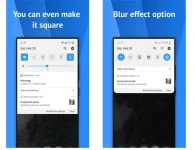
- A variety of tile icon shapes (circle, square, teardrop, gradients, and more)
- (Pro) Adjust the grid layout (i.e., number of columns and rows).
Download link:You do not have permission to view the full content of this post. Log in or register now.