 PH
PH
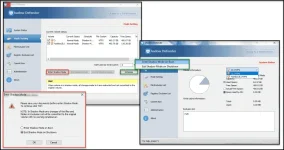
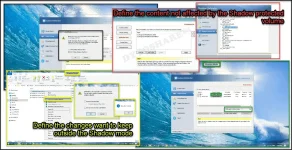
Shadow Defender is an easy-to-use security solution for Windows operating systems that protects user PC and real laptop environment against malicious activities and unwanted changes. Shadow Defender can run a user system in a virtual environment called 'Shadow Mode' which redirects each system change to a virtual environment with no change to the real situation.
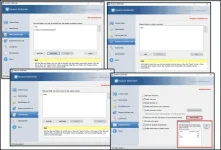
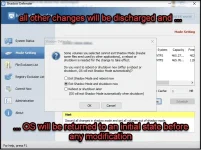
If a user experiences malicious activities and unwanted changes, perform a reboot to restore the system back to its original state, as if nothing happened. With Shadow Defender, a user has the flexibility to specify which files and folders are permanently saved to the real environment. This ensures important files and folders are kept after a reboot. If a user wants to make a maintenance-free computer, Shadow Defender will be his best choice.
Shadow Defender Users:
Maintain a system free from malicious activities and unwanted changes;
Test software and game installations in a safe environment;
Protect against adverse changes by shared users (suitable for workplaces and educational institutions).
Spoiler contents are visible only to Established Members.
What is new in version 1.4.0.680 (Released on May 8, 2018):
Fixed: An error message 'You Need to Format the Disk before You Can Use It' when entering/exit Shadow Mode;
New: Some GUI changes.
System requirements:
OS: Microsoft Windows 2003, XP, Vista SP2 with KB2763674 installed, Windows 7 SP1 with KB3033929 installed, 8.1 & 10;
CPU: Pentium 133 MHz or faster;
RAM: 128 MB or above;
HDD: 3 MB for program files and 10MB or freer space for each partition in Shadow Mode.
Install notes:
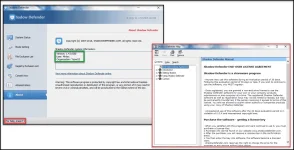
1. Kindly read 'Read me.txt' file given in download zip file;
2. Enjoy!
It is straightforward and intuitive software with low impact on the PC performance. Shadow Defender is faster and with the even better performance application, without bloatware, in comparing with Faronics Deep Freeze or Wondershare Time Freeze. It represents an excellent alternative to Sandboxie and VM.
Finally, you can safely leave your granny on the computer without a fear that the PC will be infected by viruses or without the consequence of losing any personal data.

Spoiler contents are visible only to Established Members.
