PH
PHFiore daffodil
Elite
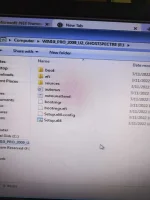
Mga lods paano kaya to noong nag install ako GHOST spectre nag error sya ganyan sa pic pag click ko ng setup.x64?
Salamat
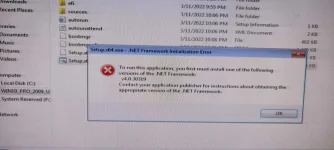
Salamat
Oo lods doon ko inopenDoon mo maiopen after mo boot ng flaah drive na may laman ghoat spectre.
Dito po dibaOo lods doon ko inopen
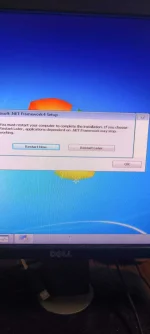
Ganito naman nangyayare sa netframe pag install ko.try to install the framework that it recommends or download a much higher version of framework like 4.8
best way para mapalitan talaga OS is i flash mo in boot, just like what 1neWay said. If you don't know how to flash through boot, just search for tutorial here in phcorner or youtubeGanito naman nangyayare sa netframe pag install ko.
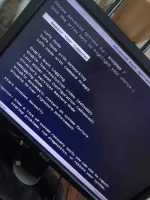
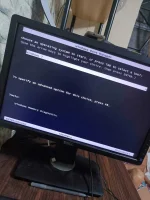
Wala dyan sa mga picture ang option. Daan ka BIOS muna, gawin mo ang first priority ang USB then Save and Quit. Doon kusa siya magboot sa USB.View attachment 1854615
Lods lumang netframe nalang ininstall ko try ko ulit yong bootable usb.
Ghost spectre stop working po.
Nag boot to bios ako saan dito po iyon?
Saan po dito?

4gb lang ram pc ko medyo ok naman sya ngayon kesa datinGhost spectre gamet ko, smooth sya gamitin
Musta po os nyo goods paren ba yang os ni ghost spectre?4gb lang ram pc ko medyo ok naman sya ngayon kesa datin
Na gana naman ok sya mabilis di lang ako makapag photoshop tulad dati sa win7 ultimate.Musta po os nyo goods paren ba yang os ni ghost spectre?
Thanks sa info nauupdate poba windows & .net pag ghost spectre os?Na gana naman ok sya mabilis di lang ako makapag photoshop tulad dati sa win7 ultimate.