🔒 Closed Install or upgrade Windows 11 to an incompatible computer

Status
Not open for further replies.
D

Deleted member 1761594

WINDOWS 11

1646798018913.png

1646798081038.png


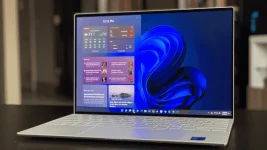
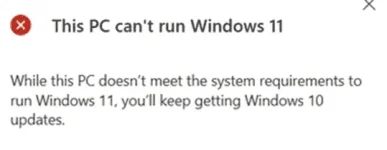
Install or upgrade to Windows 11 to an incompatible computer


*To Install
1646798198097.png

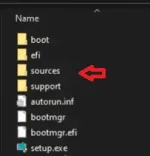
1. Open sources folder on your Windows 11 bootable installation media (usb) find appraiserrs.dll rename or delete that file.

2. Install

*For Upgrade

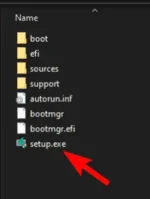
1. Extract Windows 11 .iso file open sources folder find appraiserrs.dll rename or delete that file then click setup
1646798126289.png


gagana yan, ang purpose ng tutorial ay idisable or tanggaling yung tpm2.0 features ng windows 11
 
okay naman windows 11 kahit nkalagay na hindi compatible sa pc. may mga bugs sa UI pero usable naman. gamit ko sya since marelease yung leak iso.
 
Status
Not open for further replies.

About this Thread

  • 10
    Replies
  • 345
    Views
  • 5
    Participants
Last reply from:
Blazeater

Online now

Members online
960
Guests online
1,376
Total visitors
2,336

Forum statistics

Threads
2,273,520
Posts
28,950,153
Members
1,235,797
Latest member
jules jedi
Back
Top