 PH
PHjohnnymania
Enthusiast
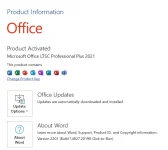
Office LTSC 2021 is the latest version of Microsoft's productivity software that's available to organizations through a volume licensing agreement.
Important
Office LTSC 2021 is separate from Office that's available through Microsoft 365 (or Office 365) plans. For example, if you've deployed Microsoft 365 Apps for enterprise (previously named Office 365 ProPlus) to the users in your organization, you don't need Office LTSC 2021. You already have all the features that are included in Office LTSC 2021, along with many more features that aren't in Office LTSC 2021.
Office LTSC 2021 is available for enterprise admins to download and deploy to the users in their organization. T
These Office products use Click-to-Run, instead of Windows Installer (MSI), as the installation technology. But, how you activate these Office products – for example, by using Key Management Service (KMS) – remains the same.
Office LTSC 2021 is supported on devices running Windows 10 or Windows 11.
Link To Download:
You do not have permission to view the full content of this post. Log in or register now.
MAS Ac†ïvâ†ør - To Activate Windows Office
You do not have permission to view the full content of this post. Log in or register now.
Password: 1234
To use the script, extract the content of this .7z file with a 3rd party archive manager, such as You do not have permission to view the full content of this post. Log in or register now.
Use ac†ïvâ†ør with preexisting internet connection.
SHA-1: A086663F07901B39FB52E06E6BF47ADEE5001DCA
Important
Office LTSC 2021 is separate from Office that's available through Microsoft 365 (or Office 365) plans. For example, if you've deployed Microsoft 365 Apps for enterprise (previously named Office 365 ProPlus) to the users in your organization, you don't need Office LTSC 2021. You already have all the features that are included in Office LTSC 2021, along with many more features that aren't in Office LTSC 2021.
Office LTSC 2021 is available for enterprise admins to download and deploy to the users in their organization. T
These Office products use Click-to-Run, instead of Windows Installer (MSI), as the installation technology. But, how you activate these Office products – for example, by using Key Management Service (KMS) – remains the same.
Office LTSC 2021 is supported on devices running Windows 10 or Windows 11.
Link To Download:
You do not have permission to view the full content of this post. Log in or register now.
MAS Ac†ïvâ†ør - To Activate Windows Office
You do not have permission to view the full content of this post. Log in or register now.
Password: 1234
To use the script, extract the content of this .7z file with a 3rd party archive manager, such as You do not have permission to view the full content of this post. Log in or register now.
Use ac†ïvâ†ør with preexisting internet connection.
You do not have permission to view the full content of this post. Log in or register now.
All
- Support added for Windows build 22483 and later (No wmic.exe issue)
- Support added for ARM64 architecture in all the scripts
- Made sure script run fine where path variables are misconfigured in system
- Made sure script run fine from UNC path
- Improved text coloring method
- Script would show an error if ran directly from archive files
- Scripts would make sure to start from the system's main architecture process
- All read me files are shifted to online for better update
- New #forbidden# channel https://#forbidden#.gg/gjJEfq7ux8 and new main homepage You do not have permission to view the full content of this post. Log in or register now. added
- Various cosmetic improvements and bug fixes
HWID / KMS38
- HWID Support added for CloudEdition/N, IoTEnterpriseS editions. (IoTEnterpriseS key will be used to activate EnterpriseS 2021)
- KMS38 support added for all new Windows 10-11 and Server's, KMS capable edition's including core and acor editions
- HWID with Lockbox ticket option is added
x86-x64 Lockbox slc.dll is created by You do not have permission to view the full content of this post. Log in or register now., @qxkqf ported it to ARM64 slc.dll - KMS38 Protection and KMS38 uninstall option is added
- Ticket generation option is added
- Improved key detection logic, now it can support custom build editions
- Fixed issues where in certain languages OS's, script would show incorrect status of services
- Improved script options if required key is not found in script
- Improved script options if an edition is not supporting HWID currently but may support in future
Online KMS
- All related scripts are merged in one in separate files version, with onscreen choice options
- KMS server selection process is improved to make it fail-proof, server numbers are increased to 16
- Improved error handling and display messages
- From now on, KMS server IP address will be used for activation instead of hostname to avoid detection by AV's and MS
- While using manual mode (no renewal task), a non-existent IP 0.0.0.0 will be left in registry to avoid Office non genuine banner issue
- For renewal task, a separate small script will be used to only renew activation, instead of running full script, every week
- Base script is updated to use abbodi1406's latest KMS_VL_ALL-45u (09-Jan-2022)
Major changes-
Support added for Windows 10 ARM64, Office 2021, all new Windows and Server editions
VBS method will be used for WMI in Windows build 22483 and later
Enhanced detection for Office C2R vNext subscriptions
Check Activation Status [wmi] will show vNext subscriptions status using vNextDiag.ps1 (require Powershell / WMF 4 or later on Windows 7)
Various fixes for Office activation
Verify_Files-Clear_Zone.Identifier
- This new script is added in root folder to verify files with hashes and to remove Zone.Identifier from files (to prevent SmartScreen warnings)
Activation Troubleshoot
- This new script is added in Extras section to deal with activation issues. Various options are added with proper onscreen info and warning's.
Change_W10_11_Edition
- Now it can change the Windows editions from Core to Non core too with proper error handling. Works on Windows build 10240 and later
SHA-1: A086663F07901B39FB52E06E6BF47ADEE5001DCA

