🔒 Closed How to use PHcorner app on Android Devices

Status
Not open for further replies.

NEKO7

Eternal Poster
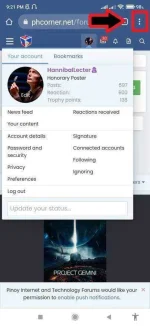
1. ) Open Chrome Browser app, then open phcorner.org , press chrome browser menu :

274468512_748015096177106_4668480590033803790_n.webp

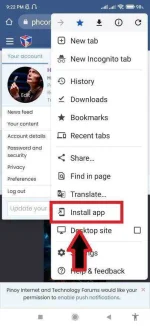
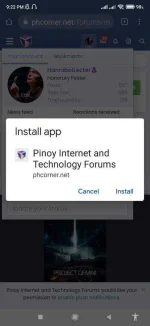
2. ) Press Install app from menu dialogue , then install :

274049841_722036895451523_6700655674809223567_n.webp

274421416_327822369308595_3112371204649890982_n.webp

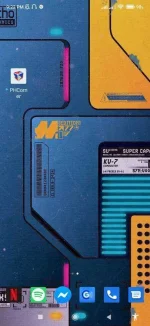
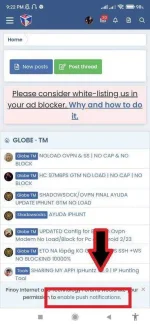
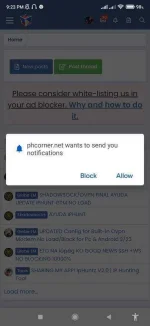
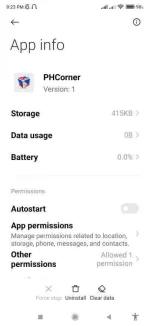
3. ) Open PHcorner app, press enable notifications, then allow :

273728740_323585913129656_5392025807199863503_n.webp
274113537_1134071680722537_3725213289099292613_n.webp
274233144_3159704100914974_625938209281718109_n.webp
274011320_3162740573992300_8464268192836242468_n.webp

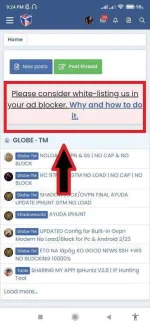
4.) Lastly add PHcorner to your adblocker whitelist :


274174929_3801954753276823_228151827537096016_n.webp


Status
Not open for further replies.

About this Thread

  • 2
    Replies
  • 601
    Views
  • 3
    Participants
Last reply from:
AjhayBrown

Trending Topics

Online now

Members online
406
Guests online
1,915
Total visitors
2,321

Forum statistics

Threads
2,297,626
Posts
29,116,486
Members
1,204,005
Latest member
pgt34000
Back
Top