 PH
PHarsenal1205
Rarely opens PHC
Yesterday, Microsoft released You do not have permission to view the full content of this post.
Log in or register now. with a huge load of new features and capabilities. Windows Insiders are happy to test You do not have permission to view the full content of this post.
Log in or register now., an You do not have permission to view the full content of this post.
Log in or register now., Start menu, and You do not have permission to view the full content of this post.
Log in or register now.. Sadly, the latest Windows 11 preview build also comes with a fly in the ointment. Starting with Windows 11 build 22557, Microsoft requires an active Internet connection and a Microsoft Account to set up every consumer-oriented Windows 11 SKU.
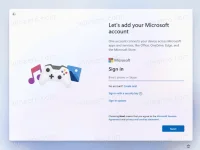
Here is what Microsoft says in the changelog for build 22557:
In a nutshell, the change means you cannot set up a new Windows 11 computer if you do not have an active Internet connection. You will simply hit a wall with a demand to connect to the Internet. Plus, a Microsoft Account is now a must.
It is worth mentioning that those requirements are not something new for Windows 11 users. The current stable Windows 11 Home (build 22000) requires an Internet connection and a Microsoft Account during the initial setup.
Luckily, there is still a way to bypass the enforcement for the Microsoft Account, and get the OS You do not have permission to view the full content of this post. Log in or register now.. But the method is very tricky. However, it still requires your device to be online.
Users could ignore the demands in the Pro SKU and get a system into a working state in offline mode. Unfortunately, starting with Windows 11 22557, that is no longer the case.
FROM: WINAERO
Here is what Microsoft says in the changelog for build 22557:
"Similar to Windows 11 Home edition, Windows 11 Pro edition now requires internet connectivity. If you choose to setup device for personal use, MSA will be required for setup as well. You can expect Microsoft Account to be required in subsequent WIP flights.
In a nutshell, the change means you cannot set up a new Windows 11 computer if you do not have an active Internet connection. You will simply hit a wall with a demand to connect to the Internet. Plus, a Microsoft Account is now a must.
It is worth mentioning that those requirements are not something new for Windows 11 users. The current stable Windows 11 Home (build 22000) requires an Internet connection and a Microsoft Account during the initial setup.
Luckily, there is still a way to bypass the enforcement for the Microsoft Account, and get the OS You do not have permission to view the full content of this post. Log in or register now.. But the method is very tricky. However, it still requires your device to be online.
Users could ignore the demands in the Pro SKU and get a system into a working state in offline mode. Unfortunately, starting with Windows 11 22557, that is no longer the case.
FROM: WINAERO


