PH
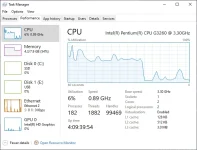
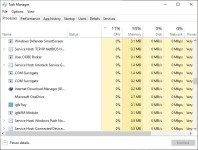
PHDid you experience a sudden increase in your RAM and CPU for an unknown reason and cause your laptop to be awfully sloppy? COM SURROGATE is, sometimes, the culprit. COM Surrogate causes high CPU in the case of malware attack, corrupted files, or outdated codecs.
If you're having a hard time dealing with the high spike of RAM usage caused by COM Surrogate, and you don't know how to remove it, here is some methods I used to deal with the increase in RAM usage.
First, press Windows+R, then type "taskmgr", and then click "OK" or hit Enter.

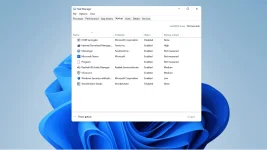
Once you see the GUI, click the STARTUP button
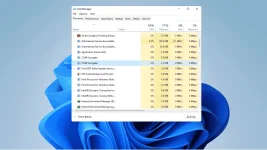
From then on, click COM SURROGATE and click DISABLE, and you're done.
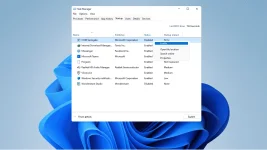
Note:
You should never try to delete the COM Surrogate virus manually. If you attempt to remove it manually, you risk causing permanent damage that can lead to your Windows failing completely.
I hope this little knowledge of mine helps.

If you're having a hard time dealing with the high spike of RAM usage caused by COM Surrogate, and you don't know how to remove it, here is some methods I used to deal with the increase in RAM usage.
First, press Windows+R, then type "taskmgr", and then click "OK" or hit Enter.
Once you see the GUI, click the STARTUP button
From then on, click COM SURROGATE and click DISABLE, and you're done.
Note:
You should never try to delete the COM Surrogate virus manually. If you attempt to remove it manually, you risk causing permanent damage that can lead to your Windows failing completely.
I hope this little knowledge of mine helps.