PH
PH
D
Deleted member 625548
This tutorial only works on Edge and Chrome browser. If you're afraid of downloading Windows ISO on other website, then this is might just for you!
Step 1- Go to the official Microsoft website and navigate Windows 10 download portal.
Shortcut: You do not have permission to view the full content of this post. Log in or register now.
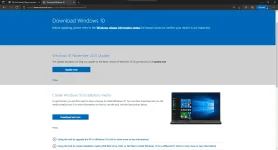
Step 2- Right click the page ang select "Inspect"
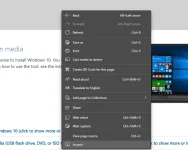
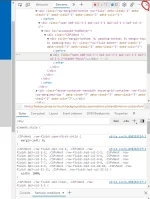
Step 3- After the Inspect Tab is opened, find the three-dots sign that you can find in the upper-right.
(See the picture details below, it's encircled in red color.)
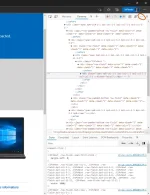
Step 4- After you clicked the button, hover into "More tools" section and navigate for "Network conditions"
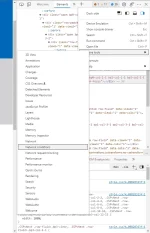
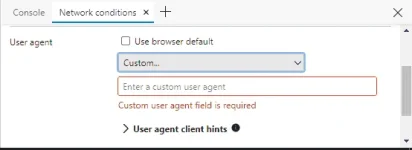
Step 5- After the "network conditions" opened (it sometimes appear below 'Elements' tab), navigate the "User Agent" and uncheck "Use browser default". (See the picture details below.)
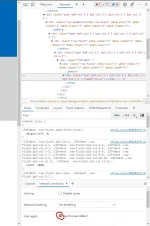
Step 6- Under of it, you will see "Custom" listbox. Navigate for "Chrome - Mac" and click it.
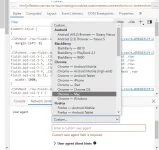
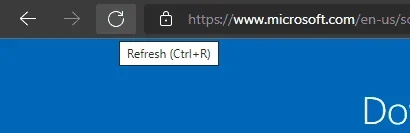
Step 7- After you selected "Chrome - Mac" in the listbox, close the "inspect Element" tab and reload the page.
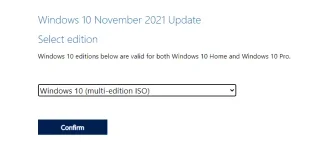
Step 8-Scroll down and you will find until you find the "Select edition" section. Click the listbox below and select "Windows 10". After that, click "Confirm" button.
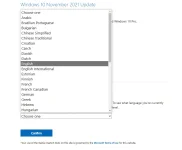
Step 9- There's a new section will appear ('Select the product language' section), and click the listbox below and choose whatever language you want. ("English" language is preferred) And click "Confirm" below the listbox.
Step 10- A new window will appear, select what bit you want to download. (64-bit preferred) And the download file will appear.
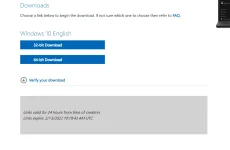
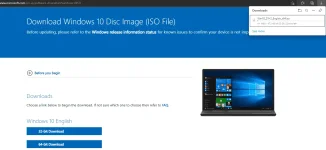
And there you have it! You've downloaded CLEAN and VIRUS-FREE Windows ISO on the official website of Microsoft. If you're afraid of downloading on other website, then this is just for you and you need to try this. ciao!
Step 1- Go to the official Microsoft website and navigate Windows 10 download portal.
Shortcut: You do not have permission to view the full content of this post. Log in or register now.
Step 2- Right click the page ang select "Inspect"
Step 3- After the Inspect Tab is opened, find the three-dots sign that you can find in the upper-right.
(See the picture details below, it's encircled in red color.)
Step 4- After you clicked the button, hover into "More tools" section and navigate for "Network conditions"
Step 5- After the "network conditions" opened (it sometimes appear below 'Elements' tab), navigate the "User Agent" and uncheck "Use browser default". (See the picture details below.)
Step 6- Under of it, you will see "Custom" listbox. Navigate for "Chrome - Mac" and click it.
Step 7- After you selected "Chrome - Mac" in the listbox, close the "inspect Element" tab and reload the page.
Step 8-Scroll down and you will find until you find the "Select edition" section. Click the listbox below and select "Windows 10". After that, click "Confirm" button.
Step 9- There's a new section will appear ('Select the product language' section), and click the listbox below and choose whatever language you want. ("English" language is preferred) And click "Confirm" below the listbox.
Step 10- A new window will appear, select what bit you want to download. (64-bit preferred) And the download file will appear.
And there you have it! You've downloaded CLEAN and VIRUS-FREE Windows ISO on the official website of Microsoft. If you're afraid of downloading on other website, then this is just for you and you need to try this. ciao!