 PH
PHProfessora Akira
☯️ SôulNinetãiL☯️
Step 1:
Choose the appropriate iPhone Data Recovery version and download it to your computer, and run iPhone Data Recovery on the computer.
Step 2:
Select "Recover from iOS Device" mode on the software's page. Then use the USB cable to connect your iPhone 13/13 Pro/13 Pro Max/13 mini to the computer
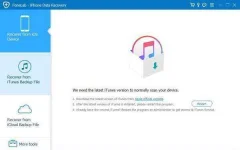
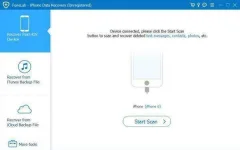
Step 3: After the software detects your device, you need to click "Start Scan" to scan the data in the iPhone 13 Series.
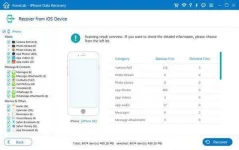
Step 4: After scanning, the data on your iPhone device will be displayed on the page. Select the data you need to restore to iPhone 13/13 Pro/13 Pro Max/13 mini, and then click "Scan" to extract specific data from the device.
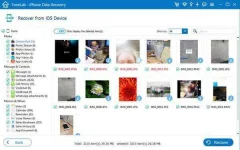
Step 5: After extracting the data, you can preview and select specific data items on the page. Select the data you need to recover, and then click "Recover" to recover the data to your iPhone 13 Series.
source:androidrecovery/ios
Choose the appropriate iPhone Data Recovery version and download it to your computer, and run iPhone Data Recovery on the computer.
Step 2:
Select "Recover from iOS Device" mode on the software's page. Then use the USB cable to connect your iPhone 13/13 Pro/13 Pro Max/13 mini to the computer
Step 3: After the software detects your device, you need to click "Start Scan" to scan the data in the iPhone 13 Series.
Step 4: After scanning, the data on your iPhone device will be displayed on the page. Select the data you need to restore to iPhone 13/13 Pro/13 Pro Max/13 mini, and then click "Scan" to extract specific data from the device.
Step 5: After extracting the data, you can preview and select specific data items on the page. Select the data you need to recover, and then click "Recover" to recover the data to your iPhone 13 Series.
source:androidrecovery/ios
