PH
PHairwavemac
тωєηту-мσяє
 to
to 
Easy lang naman, if OS mo ay Windows 10 (Updated & Activated) na.. Ayos na yan..
NOTE: Kung anong OS Version ang gamit nyo yun din ang magiging OS Version nyo pag nag upgrade kayo.
Requirements:
USB Flash Drive at least 8gb
appraiserres file
bout System Requirements siguro kahit mga procie released 6-8years ago pwede.
RAM with at least 4gb much better kung mas mataas.
kahit on-board/integrated lang graphic card nyo pwede.
If Your OS is not yet Activated.. marami sa net Product key nagkalat

if naman, Di pa kayo Wins10 at may plano kayong mag upgrade sa Windows 10..
Just download this ISO Windows 10 X64 Pro 21H2 incl Office 2021 (Pre-Activated both OS and Office) (Update: December 2021) -Rufus Included- (5gb)
You do not have permission to view the full content of this post. Log in or register now.
OK lets start
If OK na Windows 10 natin. lets Download Windows 11 ISO
Open your Browser and Search Windows 11 Creation tool
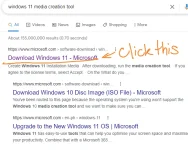
then
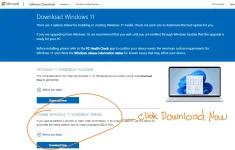
then
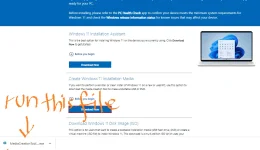
then
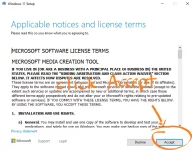
then
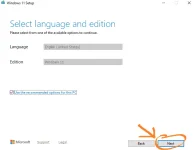
then Ins.e.rt your Flash Drive
then
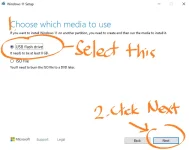 thats it.
after Madownload ang ISO. Download and Extract this appraiserres File
You do not have permission to view the full content of this post. Log in or register now.
then Copy the Extracted file..
then Open your Flash Drive , then open Sources Folder
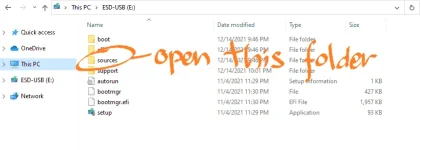
then from Sources Folder paste and replace appraiserres file.
we need to replace that file para mabypass natin ang System Requirements ni Windows 11.
then back to your Flash Drive root folder/Directory then select & run SETUP as Administrator
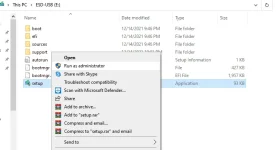
then follow nyo nalang
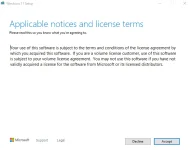
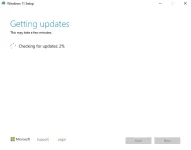
then if ready to install na kayo na bahala if ano gusto nyo Clean Install or Keep Personal Files and Apps.
ako ginawa ko KEEP PERSONAL FILES AND APPS ..
wala namang naging problema sa mga apps na naka installed na nung wins 10 pa ako,
nagagamit ko naman ng maayos.
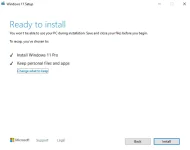
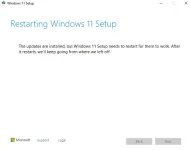
if ok na Click INSTALL nyo na.. Thats it! wait nyo nalang matapos..