 PH
PHairwavemac
тωєηту-мσяє
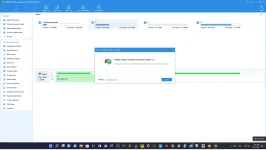
Download Link: (Google Drive) OMEI Partition Assistant Technician Edition v9.5.0 Pre-Activated (28mb)
You do not have permission to view the full content of this post. Log in or register now.
Installation Instruction:
just Install it, no activation required. (already activated).
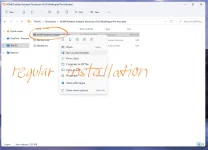
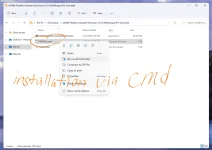
We have 2 options how to install it.. (mas ok via CMD)
1st regular installation
2nd Installation via cmd
AOMEI Partition Manager Features:
Resize and move partition without data loss.
Merge adjacent partitions into one.
Merge unallocated space to a partition.
Split one big partition into two or more.
Allocate free space from one partition to another.
Copy (Clone) partition to new hard drive.
Align partition to boost performance and lifespan of disk.
Change partition type ID and change serial number.
Linux partition management: create, delete, format, wipe, copy, recover Ext2/Ext3 partition, etc.
Create more partitions even without unallocated space.
Delete, format and wipe partition easily.
Convert primary to logical partition and vice versa.
Convert FAT partition to NTFS file system.
Change partition label and drive letter.
Hide and check partition, wipe unallocated space.
Set active partition and view partition properties.
Disk Management Features:
Copy (Clone) disk without reinstalling Windows and applications.
Convert MBR to GPT disk and vice versa.
Rebuild MBR to repair or add boot code.
Delete all partition on a disk directly.
Wipe hard drive to permanently erase sensitive data.
Disk surface test to check and fix bad sectors.
Initialize disk.
View disk properties.
Operating Systems:
- Windows 11, 10, XP, Vista, 7 (SP1 included), 8 and 8.1 (both 32/64 bit)


