🔒 Closed Paano tanggalin to

Status
Not open for further replies.

DOPEinDOPAMINE

Forum Guru
1640281535623.webp

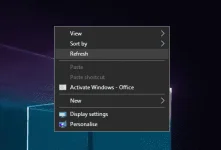
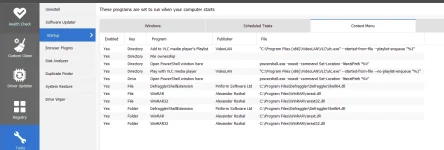
baka may alam paano i remove to Activate Windows - Office na delete ko na yung cmd nya pero nandyan paren
 
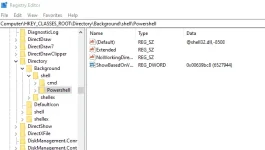
Most programs never add anything to the desktop right-click menu, so it won’t be often that you’ll use this registry häçk. The location for the desktop menu items is here:

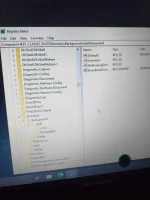
HKEY_CLASSES_ROOT\Directory\Background\shell
 
wait bossing
  1. In the “Shellex” folder you should have there a folder that is named with “ContextMenuHandlears”, double click (left click) on it.
  2. Right click on the folder “ContextMenuHandlears”.
  3. In the menu that shows hover the mouse cursor over “New”
  4. Another menu should open up, click (left click) on “Key“ in the “New” menu you opened.
  5. Now you only need to enter your item name that you want to appear in the right click menu.Example “Copy to”
  6. If you want to remove an item from the list , click (left click) on the item and press “Delete”
  7. Click (left click) on the item you created and on the right side of the “Registry Editor” window you should have “Default”.
  8. Click (right click) on “Default”
  9. Click (left click) on “Modify” in the menu you opened.
  10. An “Edit String” window should of opened up.
  11. Under the “Value data” in the white box write for example the code “{C2FBB630-2971-11D1-A18C-00C04FD75D13}” , this code is specific for the “Copy to” item on your right click menu.
  12. Click (left click) on “OK” in the lower side of the “Edit String” window.
  13. Go on the Desktop and right click a folder or file and you should have there the item “Copy to”.
 
Status
Not open for further replies.

About this Thread

  • 6
    Replies
  • 633
    Views
  • 3
    Participants
Last reply from:
kohbayag

Trending Topics

Online now

Members online
1,143
Guests online
2,246
Total visitors
3,389

Forum statistics

Threads
2,277,073
Posts
28,974,160
Members
1,229,719
Latest member
Nel_2007
Back
Top