 PH
PHPHC-Sandra
Eternal Poster
Habang maaga pa claim niyo n reward bonus
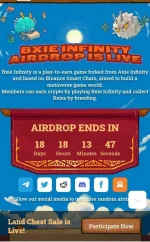
 New BXIE INFINITY
 HOW TO REGISTER:
1. Click this Invite link: You do not have permission to view the full content of this post. Log in or register now.
2. Connect your metamask or trust wallet
3. Copy & paste your BSC address
4. Fill up email address
5. Click I'm not a robot then click "REGISTER & OPEN" button
You're all set!
Attention
Please do NOT cheat in airdrop event, or all your referral progression will be deleted and your account will be banned permanently.
 Introducing Bxie Infinity posted Oct. 30 (3 min. read)
Check: You do not have permission to view the full content of this post. Log in or register now.
Here is the BXS contract:
 Token Information
 Network: Binance Smart Chain
Contact Address: 0xF2E71B054B6b0F3C5513Af505E6c072008ECFaCD
Name: Bxie Infinity
Symbol: BXS
Decimal: 18
Bxie Infinity FAQ
Q1: How to claim airdrop?
A: open the airdrop link at your browser (we recommend trust wallet and metamask), then connect your wallet and enter your email address, click the “REGISTER & OPEN” button.
Q2: How can I connect my wallet?
For Android:
Open the trust wallet, click the “DAPP”, then paste the airdrop link at blank, and connect your wallet, sign your transaction.
Tips: we also support metamask, it's the same with trust wallet.
For iOS:
Open your browser, paste the airdrop link at blank, then connect your wallet, sign your transaction.
Q3: Where is my blind box?
A: When you click the “REGISTER & OPEN” button at airdrop page, it means you have successfully registered the website without a password and opened your blind box already, so the blind box disappears and your rewards appear (like Bxie, item, etc).
Q4: Where is my blind box for invitation rewards?
A: We just show the registered NFT rewards at airdrop page, more invitation NFT details will be shown at the user center and will update a few days later.
Q5: When can I receive my Bxie pets?
A: You can claim them after the game launch.
Q6: What is the BSC address?
A: please check here: You do not have permission to view the full content of this post. Log in or register now.
Q7: How to add BSC to your metamask?
A: read this post: You do not have permission to view the full content of this post. Log in or register now.
Q8: When launch?
A: After the presale ends.
Q9: When can I receive my BXS?
A: After the presale ends.
Q10: When can I receive my Bxie?
A: After the presale ends.
Q11: How can I play the game?
A: You should at least have 3 Bxies to play game, then enter the email and password to login and start.
Q12: Is this legit?
A: Yes, it is.
Q13: How to claim my boost bonus?
A: You will see a claim button after you have the qualification. When you claim it, it means you have successfully opened the blind box and claimed your BXS, more details will be updated at the user center soon.
Q14: Where is my referral bonus?
A: You can see your bonus at the airdrop page right now, more details will be updated at the user center soon.
New BXIE INFINITYHOW TO REGISTER:1. Click this Invite link: You do not have permission to view the full content of this post. Log in or register now.
2. Connect your metamask or trust wallet
3. Copy & paste your BSC address
4. Fill up email address
5. Click I'm not a robot then click "REGISTER & OPEN" button
You're all set!
Attention
Please do NOT cheat in airdrop event, or all your referral progression will be deleted and your account will be banned permanently.
Introducing Bxie Infinity posted Oct. 30 (3 min. read)Check: You do not have permission to view the full content of this post. Log in or register now.
Here is the BXS contract:
Token Information Network: Binance Smart Chain Contact Address: 0xF2E71B054B6b0F3C5513Af505E6c072008ECFaCD Name: Bxie Infinity Symbol: BXS Decimal: 18Bxie Infinity FAQ
Q1: How to claim airdrop?
A: open the airdrop link at your browser (we recommend trust wallet and metamask), then connect your wallet and enter your email address, click the “REGISTER & OPEN” button.
Q2: How can I connect my wallet?
For Android:
Open the trust wallet, click the “DAPP”, then paste the airdrop link at blank, and connect your wallet, sign your transaction.
Tips: we also support metamask, it's the same with trust wallet.
For iOS:
Open your browser, paste the airdrop link at blank, then connect your wallet, sign your transaction.
Q3: Where is my blind box?
A: When you click the “REGISTER & OPEN” button at airdrop page, it means you have successfully registered the website without a password and opened your blind box already, so the blind box disappears and your rewards appear (like Bxie, item, etc).
Q4: Where is my blind box for invitation rewards?
A: We just show the registered NFT rewards at airdrop page, more invitation NFT details will be shown at the user center and will update a few days later.
Q5: When can I receive my Bxie pets?
A: You can claim them after the game launch.
Q6: What is the BSC address?
A: please check here: You do not have permission to view the full content of this post. Log in or register now.
Q7: How to add BSC to your metamask?
A: read this post: You do not have permission to view the full content of this post. Log in or register now.
Q8: When launch?
A: After the presale ends.
Q9: When can I receive my BXS?
A: After the presale ends.
Q10: When can I receive my Bxie?
A: After the presale ends.
Q11: How can I play the game?
A: You should at least have 3 Bxies to play game, then enter the email and password to login and start.
Q12: Is this legit?
A: Yes, it is.
Q13: How to claim my boost bonus?
A: You will see a claim button after you have the qualification. When you claim it, it means you have successfully opened the blind box and claimed your BXS, more details will be updated at the user center soon.
Q14: Where is my referral bonus?
A: You can see your bonus at the airdrop page right now, more details will be updated at the user center soon.