 PH
PHkuya_andy02
Eternal Poster
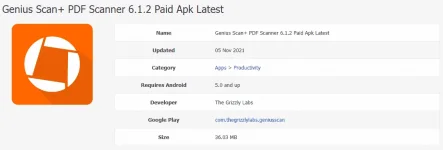
he Genius Scan scanner technology includes smart page detection, perspective correction, image post-processing. Typically, when you take a photo of a picture, you are not perfectly aligned and the light is not perfect. Genius Scan takes care of that for you.
KEY FEATURES
• Save time with our powerful scanning technology:
– Automatic, real-time, document detection and perspective correction
– Magic mode to snap the photos hand-free
– Batch mode to scan several pages in a row
• Amazing quality:
– Enhance the scans with color or black-and-white post-processing
– Edit your scans long after scanning your documents
• Stay organized:
– Send the scans as JPEG or PDF by email or FTP
– Export documents to any app supporting JPEG or PDF files
– Create PDF documents with multiple scans
– Smart Document Names: name your documents according to customized patterns
– Tag your documents to quickly find them
USAGE EXAMPLES
• To quickly scan a form you just printed when you don’t have a scanner
• At the university, to take a picture of a whiteboard
• On the road, to archive receipts
• To collect customer paperwork on the go
• To make a copy when you have no copier available
• To archive handwritten notes or share them with colleagues
• Save the perfect recipe after cooking
• Save handwritten memos, or book pages for future reference
• Share a good restaurant menu on Twitter
GET IN TOUCH
Should you have any questions or feedback, please let us know at android.support@thegrizzlylabs.com. We respond to every email and we definitely love your input to improve Genius Scan further!
Genius Scan+ – PDF Scanner Apk
Mod Info:
- No root or Lucky Patcher or Google Play Modded required;
- Disabled / Removed unwanted Permissions + Receivers + Providers + Services;
- Optimized and zipaligned graphics and cleaned resources for fast load;
- Ads Permissions / Services / Providers removed from Android.manifest;
- Ads links removed and invokes methods nullified;
- Google Drive Cloud works;
- Google Play Store install package check disabled;
- Debug code removed;
- Remove default .source tags name of the corresponding java files;
- Analytics / Crashlytics / Firebase disabled;
- Native crashlytics removed completely;
- Languages: Full Multi Languages;
- CPUs: armeabi-v7a, arm64-v8a, x86, x86_64;
- Screen DPIs: 120dpi, 160dpi, 240dpi, 320dpi, 480dpi, 640dpi;
- Original package signature changed;
You do not have permission to view the full content of this post. Log in or register now.