 PH
PHMaking a record for your papers either document, notes, will transform into clean scanned docuement in image.
1. Download Open Note Scanner sa Play Store
2. Run the app and notify to install OpenCV Manager, this requires for function camera.
3. Focus the subject for your tested for.
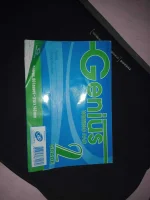
Before(Using camera app):
After(when you are using the app):
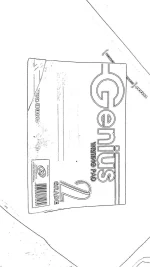
Good luck for your next copy, remember after portion will takes less space than before). Magafocus yan sa isang subject tapos autocut.
1. Download Open Note Scanner sa Play Store
2. Run the app and notify to install OpenCV Manager, this requires for function camera.
3. Focus the subject for your tested for.
Before(Using camera app):
After(when you are using the app):
Good luck for your next copy, remember after portion will takes less space than before). Magafocus yan sa isang subject tapos autocut.