 PH
PHheartcureken
Forum Guru
Internet Download Manager 6 Overview
As you have seen that the internet browsers take a lot of time to download because while browsing, the downloading speed is distributed between the downloading and browsing. Whether you are a person who belongs to the computer-related field or not, everyone needs the download speed up to its limits. IDM (Internet Download Manager) consumes all the energy of the internet to get the best from your internet connection. It puts the internet speed to deliver the best download speed your internet connection can provide.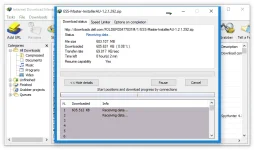
IDM comes up with a bundle of features to handle the downloading process. It has features like setting up the time and for the download. You can also crawl specific pages for downloads from URLs. IDM automatically integrates with all the internet browsers, you can manually integrate IDM with the browsers as well. It catches all the media links automatically and places a button over the media file.
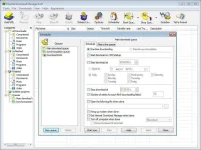
When you start downloading, IDM asks for the download path to save the download file. After installing IDM, it creates folders in the Downloads directory to divide the downloaded files into subcategories. i.e. Media Files with extensions like .mp4, 3gp, Avi, etc are placed in videos, similarly the text files in Documents, zip or RAR files in the Compressed folder, executables in Programs, and audio files in the Music folder. Internet Download Manager also provides features like completion features which helps to perform some specific task when the download is complete. It also has features like a speed limiter to set download speed.
Features of IDM (Internet Download Manager)
- A powerful download manager
- User-friendly interface
- Categorized downloads
- Perform specific action after download completes
- Speed limiter for specific downloads while downloading
- Support all the web browsers with integration
- Web pages crawl feature
- Faster downloading speed
Technical Details of Internet Download Manager 6
- Software Name: Internet Download Manager for Windows
- Software File Name: Internet-Download-Manager-6.39-Build-7.rar
- Software Version: 6.39 Build 7
- File Size: 10 MB
- Developers: You do not have permission to view the full content of this post. Log in or register now.
- File Password: 123
- Language: Multilingual
- Working Mode: Offline (Users don’t need an internet connection to use it after installing)
System Requirements for Internet Download Manager 6
- Operating System: Win XP, Vista, 7, 8, 10
- Free Hard Disk Space: 50 MB
- Installed Memory: 256 MB Recommended
- Processor: Intel Dual Core processor or later
- Minimum Screen Resolution: 800 x 600
Free Download
Click on the button given below to download Internet Download Manager (IDM) 6.39 free setup. It is a complete offline setup of Internet Download Manager (IDM) 6.39 for Windows and has excellent compatibility with x86 and x64 architectures.File Password: 123
You do not have permission to view the full content of this post. Log in or register now.