 PH
PHiknowwhatyoudid
Eternal Poster
Using the Windows 11 Stock version but
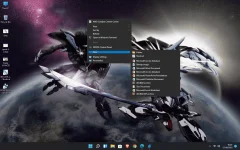
TIRED of always clicking the "show more options" repeatedly?
I got some solutions that might help.
1. Open cmd (set as admin or not, either way is okay)
2. Paste this:
reg add "HKCU\Software\Classes\CLSID\{86ca1aa0-34aa-4e8b-a509-50c905bae2a2}\InprocServer32" /f /ve
3. Restart your PC or just the Windows Explorer in the Task manager.
Gusto mong ibalik yung dati?(di na pwede, may iba na sya)
1. Open cmd (set as admin or not)
2. Paste this:
reg delete "HKCU\Software\Classes\CLSID\{86ca1aa0-34aa-4e8b-a509-50c905bae2a2}" /f
3. Restart your PC or just the Windows Explorer in the Task manager.
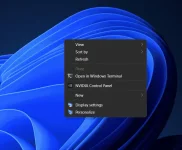
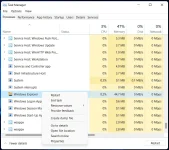
TIRED of always clicking the "show more options" repeatedly?
I got some solutions that might help.
1. Open cmd (set as admin or not, either way is okay)
2. Paste this:
reg add "HKCU\Software\Classes\CLSID\{86ca1aa0-34aa-4e8b-a509-50c905bae2a2}\InprocServer32" /f /ve
3. Restart your PC or just the Windows Explorer in the Task manager.
Gusto mong ibalik yung dati?
1. Open cmd (set as admin or not)
2. Paste this:
reg delete "HKCU\Software\Classes\CLSID\{86ca1aa0-34aa-4e8b-a509-50c905bae2a2}" /f
3. Restart your PC or just the Windows Explorer in the Task manager.
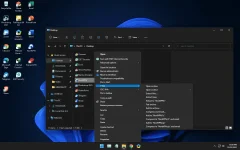
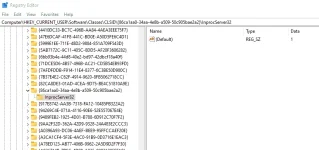


 edited na. thanks!