 PH
PHgr8teacher04
Grasshopper
This may not be the first but hoping this thread will help. (For readers)
HOW I INSTALLED WINDOWS 11 on a 128Gb Micro SD Card (to try how smooth this new OS is)
Tools needed:
1. Windows 11 OS (check our brothers' posts here from BOKLAY, or a preactivated one here from tuongyda14)
2. Rufus (I suggest get the latest one You do not have permission to view the full content of this post. Log in or register now.) here's why (in bold)
Though you can also use You do not have permission to view the full content of this post. Log in or register now. or You do not have permission to view the full content of this post. Log in or register now.
*Anything that may work for you just be sure to select WINDOWS to GO feature
3. 128GB USB stick or card reader with MicroSD card (feels like SSD)
4. Working Laptop
Use this video link as reference on the difference of 10 and 11. You do not have permission to view the full content of this post. Log in or register now. https://www. youtube.com/watch?v=PWOlJKnwFHM
Let's start!
1. Installation
2. Post-installation
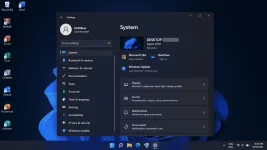
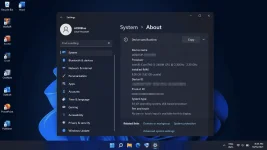
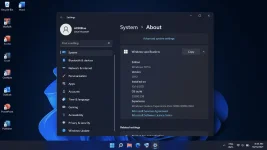
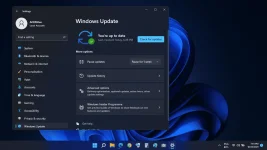
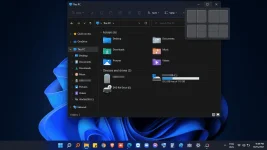
Any concern, post it on the comments that I may reflect on it! Ciao!!!
HOW I INSTALLED WINDOWS 11 on a 128Gb Micro SD Card (to try how smooth this new OS is)
Tools needed:
1. Windows 11 OS (check our brothers' posts here from BOKLAY, or a preactivated one here from tuongyda14)
2. Rufus (I suggest get the latest one You do not have permission to view the full content of this post. Log in or register now.) here's why (in bold)
- Version 3.16 (2021.10.13)
- Fix ISO mode support for Red Hat 8.2+ and derivatives
- Fix BIOS boot support for Arch derivatives
- Fix removal of some boot entries for Ubuntu derivatives
- Fix log not being saved on exit
- Add Windows 11 "Extended" installation support (Disables TPM/Secure Boot/RAM requirements)
- Add UEFI Shell ISO downloads
- Add support for Intel NUC card readers
- Improve Windows 11 support
- Improve Windows version reporting
- Speed up clearing of MBR/GPT
Though you can also use You do not have permission to view the full content of this post. Log in or register now. or You do not have permission to view the full content of this post. Log in or register now.
*Anything that may work for you just be sure to select WINDOWS to GO feature
3. 128GB USB stick or card reader with MicroSD card (feels like SSD)
4. Working Laptop
Use this video link as reference on the difference of 10 and 11. You do not have permission to view the full content of this post. Log in or register now. https://www.
youtube.com/watch?v=PWOlJKnwFHMLet's start!
1. Installation
- Using Rufus > choose to install using extended option or using WIn2USB > direct installation to USB
- Then, exit app, reboot laptop to BIOS
- On BIOS setting select USB as priority boot option
- Save and exit
- Your new welcome remarks will appear
- Select your chosen options (I suggest go for English International Keyboard Layout)
- (Turned off all telemetry)
- On desktop, feel the Mac/Linux-like UI before continuing
- Connect to LAN or WLAN to update its drivers (tried using You do not have permission to view the full content of this post. Log in or register now. and You do not have permission to view the full content of this post. Log in or register now., what a disaster!)
- Let windows download the necessary drivers for you.
- Make sure that the updating is complete before clicking UPDATE and RESTART.
- (If any hardware is not working as intended, you have additional options on update setting to fix them (AMD/Ryzen users, another disaster on this part)
- If everything works well let's move on.
- Use your prior Windows license
- KMS works well hehehe
Any concern, post it on the comments that I may reflect on it! Ciao!!!