PH
PHPHC v2
You do not have permission to view the full content of this post. Log in or register now.
PHC V3
https://phcorner.org/threads/1195004/
By: JOVEN
 Paki Download muna to.
Open Config
 You do not have permission to view the full content of this post.
Log in or register now.
You do not have permission to view the full content of this post.
Log in or register now. 
SG config
You do not have permission to view the full content of this post. Log in or register now.
Credits sa mga mayari ng server
PH server
Currently down, wait for a further update.
How to fixed
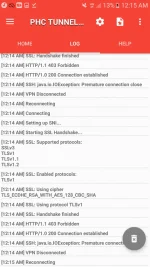
HandShake SSL error?
follow this step below
1. • open phc tunnel
2. • import the open config file
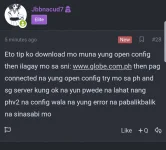
3. • manual input mo sa sni yung You do not have permission to view the full content of this post. Log in or register now.
nawawala kasi SNI nyan after mo ma import yung open config file
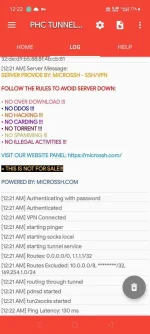
4. • last step connect kna then wait mag connect pag connected na, pwede mo na istop yan at iimport na yung mga lock config or ibang mga config para sa phc tunnel apps. no handshake ssl error na yan.
A. another alternative way to fix the SLL Handshake error is to create your own config..
Para magamit niyo sa PHC v3 yung config rename niyo lang yung file extension from .phcv2 into .phcv3 and you are good to go na same lang din yan ng method kung pano ma fixed yung ssl handshake error
Open for Leechers
joy!
Please leave a feedback
You do not have permission to view the full content of this post. Log in or register now.
PHC V3
https://phcorner.org/threads/1195004/
By: JOVEN
Paki Download muna to.Open Config
You do not have permission to view the full content of this post.
Log in or register now. SG configYou do not have permission to view the full content of this post. Log in or register now.
Credits sa mga mayari ng server
PH serverCurrently down, wait for a further update.
How to fixed
HandShake SSL error?
follow this step below
1. • open phc tunnel
2. • import the open config file
3. • manual input mo sa sni yung You do not have permission to view the full content of this post. Log in or register now.
nawawala kasi SNI nyan after mo ma import yung open config file
4. • last step connect kna then wait mag connect pag connected na, pwede mo na istop yan at iimport na yung mga lock config or ibang mga config para sa phc tunnel apps. no handshake ssl error na yan.
A. another alternative way to fix the SLL Handshake error is to create your own config..
Para magamit niyo sa PHC v3 yung config rename niyo lang yung file extension from .phcv2 into .phcv3 and you are good to go na
same lang din yan ng method kung pano ma fixed yung ssl handshake error Open for Leechers
joy!
Please leave a feedback