 PH
PHThere are 3 simple steps to active the MS Office Professional Plus 2010
Serial Key of MS Office Professional Plus 2010
GRMK2-8Y649-JR6YB-XJXVW-XTP8P
Activation ID of MS office Professional Plus 2010
390332 813364 451676 755173 989481 565216 653673 120421
Steps:
1) Open MS office word. Then open File Tab... LIKE IN THIS PHOTO-

Then click on HELP tab. LIKE IN THIS PHOTO-
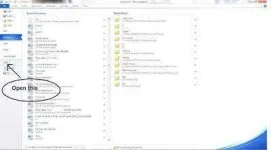
2) After opening HELP tab. Click on CHANGE PROUDUCT KEY.LIKE IN THIS PHOTO:-
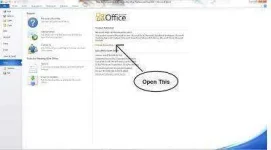
Enter the Serial Key. The Key was- GRMK2-8Y649-JR6YB-XJXVW-XTP8P .LIKE IN THIS PHOTO:-
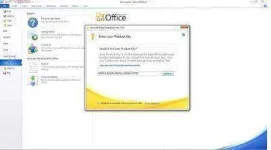
Then Click on Continue and then Click on INSTAL NOW tab. After that RESTART your computer.
3) When you have restarted your computer open MS office word. When you have opened MS Word a new window opened. The window was to ACTIVATE your MS office Professional Plus 2010. A window has two Options to ACTIVATE your MS Office Professional Plus 2010 online or with Telephone. Then there is option to select country Select INDIA and entered an Activation ID of MS office Professional Plus 2010 i.e 390332 813364 451676 755173 989481 565216 653673 120421
When you have successfully entered then an Activation ID of MS office Professional Plus 2010 and select the Next tab And A new window will be open and MS office Professional Plus 2010 will get ACTIVATED permanently. RESTART your computer. After you have RESTARTED your computer you have get a permanently ACTIVATED- MICROSOFT OFFICE PROFESSIONAL PLUS 2010. ENJOY IT.
Serial Key of MS Office Professional Plus 2010
GRMK2-8Y649-JR6YB-XJXVW-XTP8P
Activation ID of MS office Professional Plus 2010
390332 813364 451676 755173 989481 565216 653673 120421
Steps:
1) Open MS office word. Then open File Tab... LIKE IN THIS PHOTO-
Then click on HELP tab. LIKE IN THIS PHOTO-
2) After opening HELP tab. Click on CHANGE PROUDUCT KEY.LIKE IN THIS PHOTO:-
Enter the Serial Key. The Key was- GRMK2-8Y649-JR6YB-XJXVW-XTP8P .LIKE IN THIS PHOTO:-
Then Click on Continue and then Click on INSTAL NOW tab. After that RESTART your computer.
3) When you have restarted your computer open MS office word. When you have opened MS Word a new window opened. The window was to ACTIVATE your MS office Professional Plus 2010. A window has two Options to ACTIVATE your MS Office Professional Plus 2010 online or with Telephone. Then there is option to select country Select INDIA and entered an Activation ID of MS office Professional Plus 2010 i.e 390332 813364 451676 755173 989481 565216 653673 120421
When you have successfully entered then an Activation ID of MS office Professional Plus 2010 and select the Next tab And A new window will be open and MS office Professional Plus 2010 will get ACTIVATED permanently. RESTART your computer. After you have RESTARTED your computer you have get a permanently ACTIVATED- MICROSOFT OFFICE PROFESSIONAL PLUS 2010. ENJOY IT.
 ring
ring
