PH
PHCervantes25
Leecher
Pa help pinalitan ko ng thermal paste gpu no signal na lumalabas umiikot naman mga fans
No signal lngpero may display na lumalabas??? I mean pag nag boot ba pc mo lumalabas yung logo ng mobo mo??
mukhang tinamaan yung gpu mo ah, pero na try mo na ba sya isalpak sa built in vga??No signal lng
Walang ibang saksakang ng hdmi sa mobo emukhang tinamaan yung gpu mo ah, pero na try mo na ba sya isalpak sa built in vga??
hdmi lang ba walang vga yung mobo mo????Walang ibang saksakang ng hdmi sa mobo e
hdmi lang ba walang vga yung mobo mo??
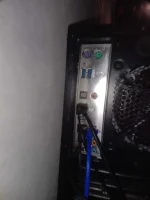
Wala asus p6x58de mobohdmi lang ba walang vga yung mobo mo????
Walang display port yung ba yung saksakan ng hdmi?anong merong display port ang mobo mo??
anong merong display port ang mobo mo??
meron naman display port pero need mo pa bumili nung cable nya, ano ba yung naka saksak sa hdmi ng mobo mo??Walang display port yung ba yung saksakan ng hdmi?
Nag bios na po pero nag stuck sa windows loading tas ni reset cmos ko ulit sa bios naman nag stuck si mapalitan timetry mo sir remove yung battery ng mobo mo for 5 to 10mins.
remove din yung power chord,.
cLear mo din po yung RAM mo..
then wag mo po muna saLpak yung HDMI sa monitor, check mo muna yung monitor mo
if working properLy yung monitor,..
then after 5mins or 10mins. insert mo na uLit yung battery then try to power it on,.
if working na si CPU, try to pLug in sa monitor,..