 PH
PHYouTube Vanced is a popular modded version of YouTube. It adds a number of features to the official YouTube app, including built-in adblocking, background playback, black/dark themes, and much more.
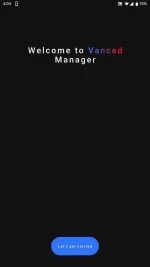
Steps:
- Download the latest Vanced Manager You do not have permission to view the full content of this post. Log in or register now. You do not have permission to view the full content of this post. Log in or register now. on your Android device.
- Install the app and open it.
- Make sure to select “nonroot” during the initial configuration wizard.
- Tap “Install” next to MicroG.
- Follow the instructions to allow installing from unknown apps.
- MicroG will download and then you’ll tap “Install” when it’s ready.
- Next, tap “Install” next to Vanced.
- Select your preferred theme and tap “NEXT”.
- Select your preferred language and tap “FINISH”.
- Vanced will download and you’ll tap “Install” when it’s ready.
- Success!
