PH
PHeasytodoitdotcom
Elite
Pansin ko lang maraming naghahanap ng Quillbot dito sa PHC kaya sahre ko tong nakit ako na tutorials sa WWW.
Step 1: Go this page → You do not have permission to view the full content of this post. Log in or register now.
Step 2: After creating an account click on “Get Premium”
Step 3: Now, click on “Upgrade to Premium”
Step 4: Choose your plan as “Annual”
Step 5: In Checkout click on “PayPal”
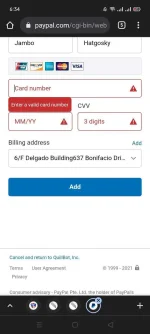
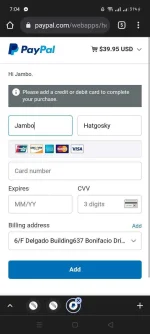
Note: Now you have to create a new PayPal account or use an existing one and add a card which has no amount to your PayPal account. It is important your account must have zero balance.
Step 6: Complete the payment with your Zero Balance PayPal account.
You will not be charged. But, your payment will be successful.

Step 1: Go this page → You do not have permission to view the full content of this post. Log in or register now.
Step 2: After creating an account click on “Get Premium”
Step 3: Now, click on “Upgrade to Premium”
Step 4: Choose your plan as “Annual”
Step 5: In Checkout click on “PayPal”
Note: Now you have to create a new PayPal account or use an existing one and add a card which has no amount to your PayPal account. It is important your account must have zero balance.
Step 6: Complete the payment with your Zero Balance PayPal account.
You will not be charged. But, your payment will be successful.