PH
PHBug Host Request
Forum Contributor
TLS tunnel improve performance level | STS no load | no blocking | update  set
set
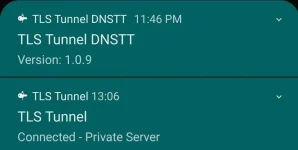
 TLS tunnel:
You do not have permission to view the full content of this post. Log in or register now.
TLS plug-in:
You do not have permission to view the full content of this post. Log in or register now.
Recommended settings update
Intranet
Use TLS 1.2
Forward DNS
Use Server DNS
App Filter:
Enable
(Only marked apps will use the VPN network)
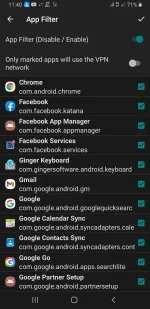
Note:
Yung mga dating na check na or Naka uncheck by default. Just leave it. Then follow the above settingss.
Phone settings
APN settings
Name: any name
APN: minternet
Authentication type: None
APN type: Default
Bearer: LTE
SAVE

Maraming salamat po sa suporta


->BHR
setTLS tunnel:You do not have permission to view the full content of this post. Log in or register now.
TLS plug-in:You do not have permission to view the full content of this post. Log in or register now.
Recommended settings update
Intranet
Use TLS 1.2
Forward DNS
Use Server DNS
App Filter:
Enable
(Only marked apps will use the VPN network)
Note:
Yung mga dating na check na or Naka uncheck by default. Just leave it. Then follow the above settingss.
Phone settings
APN settingsName: any name
APN: minternet
Authentication type: None
APN type: Default
Bearer: LTE
SAVE
Yun na nga mga ka PHC. Mas gusto ko itong TLs TUNNLE for STS no load.
Mas stable ang reliable Connection siya, compared sa ibang apps na DNS supported Connections. At mas okey siya kasi mayroon siyang legit na "App filter"
. Perfect pang basic browsing and streaming for obvious reason.
Maraming salamat po sa suporta
->BHR