 PH
PHEnvato Elements Cookies (September 19, 2021) | 10:45PM
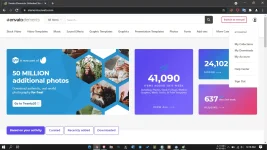
You have to strictly follow these rules to use these Accounts for a long time -
- Don’t change the account language. Keep it in default [English]. (You use google translation extension)
- Don’t try to change the account’s email & passwords. Otherwise, accounts will be automatically logout.
- Don’t try to add your personal information Like mobile number, Name, etc.
- Do not tamper with the account's settings in any way.
Please Don’t Logout/Signout otherwise CODE will be destroyed.
How to use the cookies?
1. FOR DESKTOP
We can use cookies to log in to an ID without any alert.Step 1 - You have to download an extension named You do not have permission to view the full content of this post. Log in or register now.
Step 2 - First Open the site whose cookie you have and then.
Step 3 - Open the cookie editor and Click on Delete all. After that click on Import and Paste the cookies there. (As shown in the pic given below)


Step 4- Refresh the site. If you are unable to login through cookies it means cookies were expired.
Spoiler contents are visible only to Established Members.