PH
PHjubert44_17
Leecher
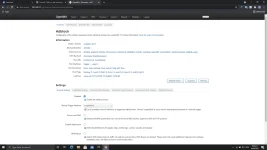
Share ko lang po yung DNS na No ads working po siya, Na test ko na mga 1 Week na.
Step1: punta kayo sa "Wifi settings ng device nyo" (Hindi sa settings ng modem)
Step2: Hanapin nyo sa IPSettings yung Option ma DHCP at STATIC, then Choose Static
Step3: Scroll down sa ibaba, change nyo yung dns1: into 94.140.14.14 sa dns2: into 94.140.15.15
Disclaimer: Di po lahat nakikita sa IPSetting yung DNS pero yung iba naka Highlight na yung DNS sa settings.
Advantage: Yung mga na download nyo na App sa Playstore na mga DNS gumagamit siya ng VPN service sa device. At palaging naka run yung app background which is mag de-drain ng battery sa background.
Disadvantage: Ayaw mapalitan yung DNS sa Mobile Data.
Goodlucks mga lods happy surfing
Step1: punta kayo sa "Wifi settings ng device nyo" (Hindi sa settings ng modem)
Step2: Hanapin nyo sa IPSettings yung Option ma DHCP at STATIC, then Choose Static
Step3: Scroll down sa ibaba, change nyo yung dns1: into 94.140.14.14 sa dns2: into 94.140.15.15
Disclaimer: Di po lahat nakikita sa IPSetting yung DNS pero yung iba naka Highlight na yung DNS sa settings.
Advantage: Yung mga na download nyo na App sa Playstore na mga DNS gumagamit siya ng VPN service sa device. At palaging naka run yung app background which is mag de-drain ng battery sa background.
Disadvantage: Ayaw mapalitan yung DNS sa Mobile Data.
Goodlucks mga lods happy surfing