PH
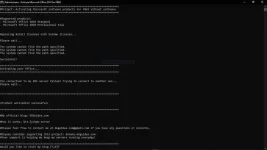
PHHere’s how to activate Office 2010 with CMD:
Pafeedback na lang mga lods kung gumagana o hindi na ..para maupdate ko
- First, visit this page
- Then copy the entire code from that page.
- After that open notepad then pastes the code earlier.
- Save the notepad file with the name Office2010.cmd / Office2010.bat for windows 10.
- Right-click the Office2010.cmd file then Run As Administrator.
- Then the CMD will open, please wait for it to finish.
- Now Microsoft Office 2010 has been successfully activated.
Pafeedback na lang mga lods kung gumagana o hindi na ..para maupdate ko
 How will I know na finish na po siya? Just wondering kung tumatakbo o hindi