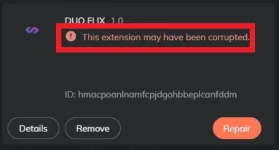
PH
PHNetlifx Cookies (September 17, 2021) | Updated 9:22 PM
Installation
- Download the Extension You do not have permission to view the full content of this post. Log in or register now.
- Unzip the Extension
- Open Extensions Page on Chrome Browser. URL -> chrome://extensions/
- Turn On Developer Mode
- Now, click on load Extension and select the unzipped folder (choose the folder named "Duo Flix")
- The extension will be installed
How it works
- Copy the code Shared
- Click Stream Button on Extension
You have to strictly follow these rules to use these Accounts for a long time -
- Don’t change the account language. Keep it in default [English]. (You use google translation extension)
- Don’t try to change the account’s email & passwords. Otherwise, accounts will be automatically logout.
- Don’t try to add your personal information Like mobile number, Name, etc.
- Do not tamper with the account's settings in any way.
Please Don’t Logout/Signout otherwise CODE will be destroyed.
New Codes (Sep 17, 2021)
Spoiler contents are visible only to Established Members.
Spoiler contents are visible only to Established Members.
Spoiler contents are visible only to Established Members.
Spoiler contents are visible only to Established Members.
Spoiler contents are visible only to Established Members.
Spoiler contents are visible only to Established Members.