🔒 Closed 450+ Lightroom Presets and Photoshop Actions worth of $27

Status
Not open for further replies.
Kuys? pano gamitin action?
Tsaka kuys pano sila ilagay sa iisang preset group?
Para san po yung actions po? Salamat keep sharing
Here is how you import actions into Photoshop:


Step One
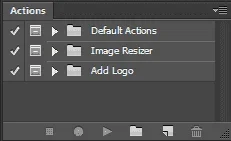
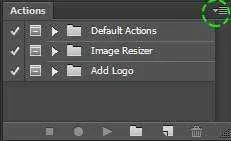
Open Photoshop and go to your “Actions” panel.
ActionsPanel.png


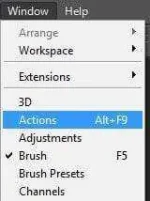
If your “Actions” panel is not open, you can go to: Window > Actions…
ActionsMenu.jpg


Step Two
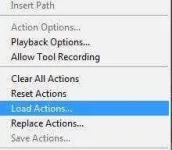
Click on the Fly Out menu button and select: Load Actions…
ActionsFlyOutMenu.jpg
ActionsLoadActions.jpg

Step Three
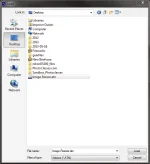
Navigate to where you saved your Photoshop Action file. Action files must be in “.atn” formats. Once you have found your Action file on your computer, click “Load” at the bottom.

ActionsLoadMENU.png


Step Four
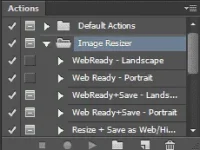
As soon as you click “Load,” you will be able to see your new actions available in the action menu list in the Actions panel.
ActionsNEW.png

may tutorial po sa folder extract nyo yung file makikita nyo may pdf file open nyo yon instruction yon kung paano ih.. apply sa image...
 
Status
Not open for further replies.

About this Thread

  • 83
    Replies
  • 4K
    Views
  • 71
    Participants
Last reply from:
Don Corleone

Online now

Members online
1,028
Guests online
1,096
Total visitors
2,124

Forum statistics

Threads
2,272,804
Posts
28,945,386
Members
1,236,416
Latest member
Jananoni2030
Back
Top