PH
PHShare ko lang kung paano mag.order ng Smart Bro Rocket Sim kahit wishlisted yung item (I cannot guarantee 100% working kung umorder na kayo at a past few hours, mas maganda kapag sa opening, baka out of stocks na talaga itong sim)
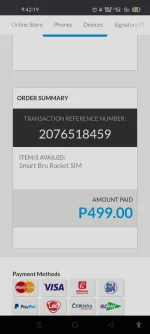
kasi umorder ako na naka wishlisted at 12:10 am but in later hours, but with discovered trick, naka packed na si Smart Rocket Sim ko in 1 hour! (I'm sure ginawa nila to, to prevent hoarding and also 1 sim per customer at a time)
Requirement:
Android device with Lazada app (pasensya na po di ko pa na try via PC)
Steps:
0. Download Lazada app on google playstore.
1. After downloading, Open your Lazada app or go directly to this link
link: You do not have permission to view the full content of this post. Log in or register now.
2. Add the item to wishlist
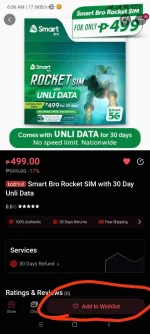
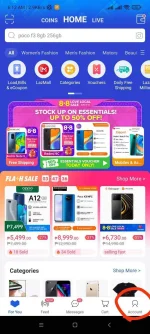
3. Go back to Lazada's main menu and tap Account, then tap My Wishlist
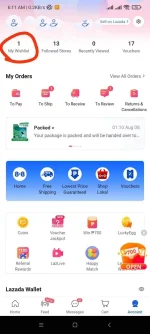
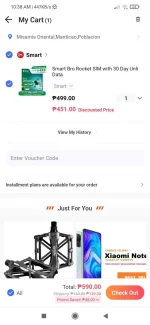
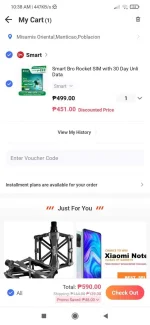
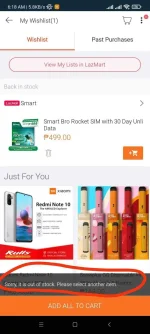
4. On the wishlist, tap Add all to cart, baka maka.tsamba po kayo, but on this image, Out of Stock na talaga sila
5. Have patience po, baka mag.stocks sila ulet without sending notification, repeat it hanggang redirected kayo sa Checkout.
Proof:
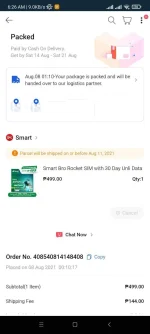
kasi umorder ako na naka wishlisted at 12:10 am but in later hours, but with discovered trick, naka packed na si Smart Rocket Sim ko in 1 hour! (I'm sure ginawa nila to, to prevent hoarding and also 1 sim per customer at a time)
Requirement:
Android device with Lazada app (pasensya na po di ko pa na try via PC)
Steps:
0. Download Lazada app on google playstore.
1. After downloading, Open your Lazada app or go directly to this link
link: You do not have permission to view the full content of this post. Log in or register now.
2. Add the item to wishlist
3. Go back to Lazada's main menu and tap Account, then tap My Wishlist
4. On the wishlist, tap Add all to cart, baka maka.tsamba po kayo, but on this image, Out of Stock na talaga sila
5. Have patience po, baka mag.stocks sila ulet without sending notification, repeat it hanggang redirected kayo sa Checkout.
Proof:
 Sana magka stock na