PH
PHA user-friendly OpenVPN GUI with SSL
Coded in C#
Requirements:
Kapag nag "Service Error" after installation kailangan irestart ang PC para magamit na ang vpn lalo na sa mga Windows 8 system (buggy kc ang win 8).
100% working sa Windows 10 at sa outdated Windows 7.
Test Config: You do not have permission to view the full content of this post. Log in or register now.
Thanks!
~ JustPlay-
Coded in C#
Requirements:
- You do not have permission to view the full content of this post. Log in or register now.
- You do not have permission to view the full content of this post. Log in or register now.
- Install .NetFramework 4.5.1 (for Windows 8 and below only)
- Install UnivOvpn
- Create an Openvpn account and edit the .ovpn config.
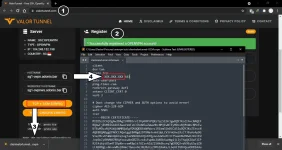
- Open UniOvpn and import the edited config.
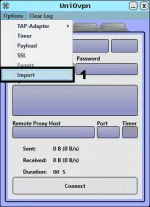
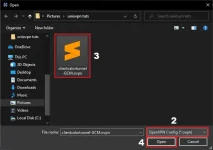
- Enter required info, payload and remote proxy host & port.
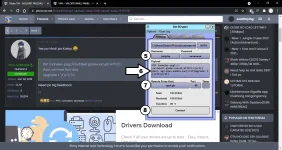
- Enjoy

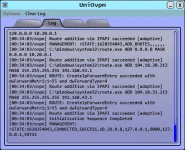
Kapag nag "Service Error" after installation kailangan irestart ang PC para magamit na ang vpn lalo na sa mga Windows 8 system (buggy kc ang win 8).
100% working sa Windows 10 at sa outdated Windows 7.
Test Config: You do not have permission to view the full content of this post. Log in or register now.
Thanks!
~ JustPlay-