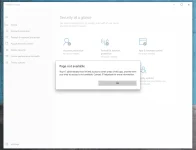
Try mo yung tips dito paps
You do not have permission to view the full content of this post.
Log in or register now.
Tip 1:
Open Group Policy snap-in by running gpedit.msc command.
Go to Computer Configuration > Administrative Templates > Windows Defender Security Center > Virus and threat protection.
Set 'Hide the Virus and threat protection area' setting to Not Configured.
Tip 2:
It's probably you were signing in a Microsoft product with school or company account.
I suggest you try to sign out and check the problem again.
If you need to sign in to use that product, please remember to opt out the option "Allow my organization to manage my device."
Microsoft set it checked on default.
 PH
PH