🔒 Closed Windows update after offlineinsiderenroll-2.0.3

Status
Not open for further replies.

iknowwhatyoudid

Eternal Poster
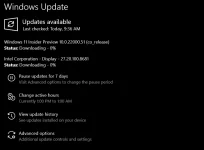
Posted this thread in regards to windows 11 update using an offline insider enroll sourcecode
credits kay sir mjtaur na nagshare sakin. Thank you sir.

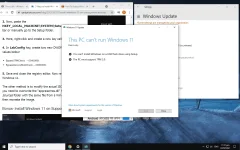
Ano pong ginawa nyo nung lumabas ung This PC can't run Windows 11? [SOLVED]
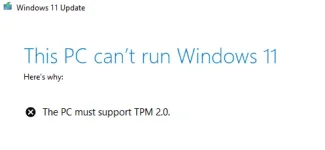
1625490081705.png


1625489948831.png


UPDATE:
PC TPM 2.0/PTT enabled in BIOS.


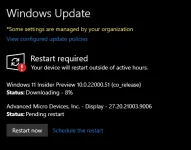
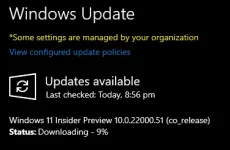
Mejo mabagal po ang download sa server.
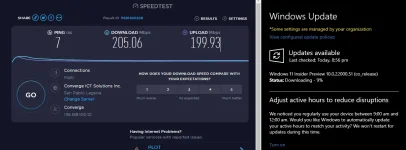
1625492120443.png


Konting trivia na nalaman ko,
TPM 2.0 means Trusted Platform Module version 2.0
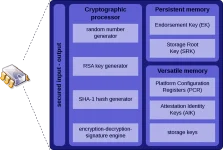
TPM.png

PTT means Inside Platform Trust Technology
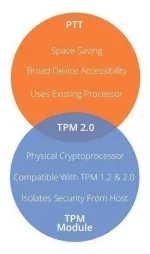

PTT-vs-TPM.jpg


UPDATE
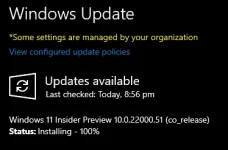
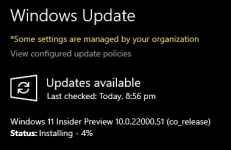
AFTER 5mins:

1625492564991.png


UPDATE
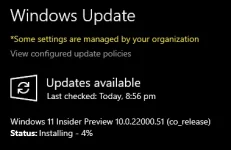
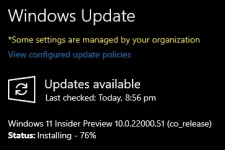
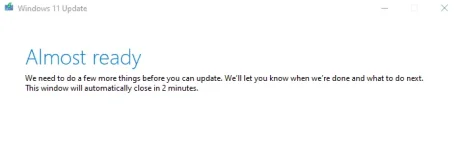
AFTER 16mins:
1625493848883.png
1625493832648.png

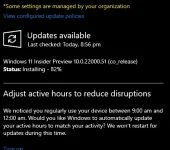
+9Mins
1625494417672.webp
 
Now testing it on an ASUS ROG Laptop

1. Download from github the offline insder ac†ïvâ†ør
LINK: You do not have permission to view the full content of this post. Log in or register now.
2. Open then run as Administrator the OfflineInsiderEnroll
3. System settings>Check for Updates
4. Update / Restart / Windows 11 Insider Preview 10.0.22000.51 (co_release)

1625621849584.webp
 
Idol, sakin eto. Pano kaya to? May TMP 1.2 lang kasi pc ko e pero mataas naman specs ng pc ko. Visit ka po sakin, nasa thread ko. Patulong naman kung anong ginawa mo🥺
 
Windows 11 bugs (For me):

Alt+F4 sometimes not working when you want to shutdown your laptop.
Microsoft Store not working.
It didn't fix my connection in the armory crate even though I have a good internet.
 
Status
Not open for further replies.

Similar threads

About this Thread

  • 14
    Replies
  • 1K
    Views
  • 3
    Participants
Last reply from:
ChavzTot

Trending Topics

Online now

Members online
317
Guests online
988
Total visitors
1,305

Forum statistics

Threads
2,275,522
Posts
28,963,836
Members
1,232,831
Latest member
moxxa
Back
Top