PH
PHrhielarth1617
Elite
Create Personal Account :
You do not have permission to view the full content of this post. Log in or register now.
Register Here For Binance Crypto Wallet :
You do not have permission to view the full content of this post. Log in or register now.
Requirements :
Verified Crypto Wallet
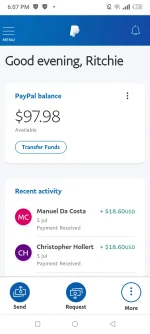
Verified Paypal
Verified Gcash/Paymaya/Debit or Credit Card
Kapang Maron na kayo lahat nyan pwede Ka nang mag start ng pag traTrade
Note: Minimum Exchange 10 Usd to Start
 me/postherexpress
Copy and Paste to browser... Remove then press Enter/Go.

We cover PayPal fee
Standard PayPal fee is around 4%, but Posthere Xpress cover 5%.
So you can receive exact amount.

Fast payments
Most exchange requests depends on amount will be closed for less than 30mins.-24 hours. If you have big exchange request it might take little bit longer but we will do our best to pay as fast as we can .

Payments from a few accounts
If your exchange request more than $200 we are paying it from a Random accounts to protect you and us from any kind of PayPal limitation.

Anonymous transaction
We put random comments on each transactions not connected with crypto exchange so PayPal can’t ask you additional questions.

Open refund policy
Before we start any payments you can contact support and ask for a full refund. When we start processing your request it won’t be possible.
Support 24/7
Our support can help you with any questions and resolve any problem. Just contact us: postherexpress101@gmail.com or submit a form: on our website.

How to Use our Exchange?

How to use your Multiple Email?
Simply Just Changed your email on your billing information everytime you sell your litecoin. [IMPORTANT] Please make sure that your billing email is correct and connected on your paypal account. and if there’s a mistake on your email, your fund will be lost. We are not responsible on that. So please double check before you confirm.
[Note] We will send your funds on your email billing information.

[Director] Guy’s we did same process how you cash in on our platform. and how you sell your Litecoin this is the same process only, we did not make any big changes on our platform, So that if paypal check and verify our website they will not think that we are doing against on their company. it means we our safe.
You do not have permission to view the full content of this post. Log in or register now.
Register Here For Binance Crypto Wallet :
You do not have permission to view the full content of this post. Log in or register now.
Requirements :
Verified Crypto Wallet
Verified Paypal
Verified Gcash/Paymaya/Debit or Credit Card
Kapang Maron na kayo lahat nyan pwede Ka nang mag start ng pag traTrade
Note: Minimum Exchange 10 Usd to Start
Join Us on Telegram :
https://t.me/postherexpressCopy and Paste to browser... Remove
then press Enter/Go.Exchange your crypto
on our Platform. our Rate is range upto 13%.
We cover PayPal fee
Standard PayPal fee is around 4%, but Posthere Xpress cover 5%.
So you can receive exact amount.
Fast payments
Most exchange requests depends on amount will be closed for less than 30mins.-24 hours. If you have big exchange request it might take little bit longer but we will do our best to pay as fast as we can .
Payments from a few accounts
If your exchange request more than $200 we are paying it from a Random accounts to protect you and us from any kind of PayPal limitation.
Anonymous transaction
We put random comments on each transactions not connected with crypto exchange so PayPal can’t ask you additional questions.
Open refund policy
Before we start any payments you can contact support and ask for a full refund. When we start processing your request it won’t be possible.
Support 24/7
Our support can help you with any questions and resolve any problem. Just contact us: postherexpress101@gmail.com or submit a form: on our website.
How to Use our Exchange?
- Just Simply Go to our page: You do not have permission to view the full content of this post. Log in or register now.
- Choose How much the amount you want to Sell
- Click Checkout.
- Select Crypto
- Choose Litecoin
- Copy the Litecoin Address.
- Copy the Amount.
How to use your Multiple Email?
Simply Just Changed your email on your billing information everytime you sell your litecoin. [IMPORTANT] Please make sure that your billing email is correct and connected on your paypal account. and if there’s a mistake on your email, your fund will be lost. We are not responsible on that. So please double check before you confirm.
[Note] We will send your funds on your email billing information.
[Director] Guy’s we did same process how you cash in on our platform. and how you sell your Litecoin this is the same process only, we did not make any big changes on our platform, So that if paypal check and verify our website they will not think that we are doing against on their company. it means we our safe.