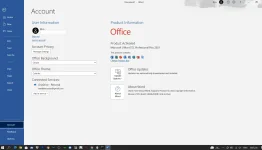
What is KMS activation?
Key Management Service (KMS) is a genuine activation method provided by Microsoft for volume
licensing customers (organizations, schools or governments). The machines in those environments
(called KMS clients) are activated via the Environment KMS Host Server (authorized Microsoft's
licensing key), instead of Microsoft activation servers.
By design, the KMS activation period lasts up to 180 Days (6 Months) at max, with the ability to
renew and reinstate the period at any time. Activation renewal automatically happens every 7
days if the client can connect to the KMS host server.
For more info, see,
You do not have permission to view the full content of this post.
Log in or register now.
You do not have permission to view the full content of this post.
Log in or register now.
How we are getting it for free?
Developers reverse-engineered the KMS Host Server setup, so now anyone can host a KMS server and
activate the systems without any limitations.
KMS activat0rs such as KMSpico, MTK, KMS_VL_ALL, and etc., locally create an emulated KMS Host
Server and activate Windows and Office.
This locally-emulated KMS server requires you to run binary files which often cause
anti-virus alerts (false positives).
Another method of KMS activation is publicly-available Online KMS Host Server.
In this method, the site hosts the emulated KMS server and anyone can simply use this server to
activate their systems, there is no requirement for running any software on your system and
no worry of AV's alert. And this method is the most identical to the genuine KMS activation.
As long as the site hosting the emulated KMS server remains on line, and is available to connect
to, continued activation will be assured.
Is it safe to use Online KMS activation?
Yes.
Now let's go into the details, why,
In the KMS protocol, there is a relationship of host and client. The client system asks the host
system to grant the activation, and the host system grants the activation if it's eligible.
In doing this, the client system shares some of the system’s data, which is not sensitive in nature.
According to the Microsoft documents, the client system shares the following LIMITED data
with the host system:
Client FQDN, CMID, time-stamp, Product license state, expiration time and IP address
You do not have permission to view the full content of this post.
Log in or register now.
 PH
PH