PH
PHKingSemreh
Eternal Poster
I hope this will help others para sa mga may problema for upgrade and downgrade lalo na may bugs sa update ngayong panahon na ito.
I will advise to use EU or ID firmware wag lang MI ng inyong kanya kanyang respective phones ng Xiaomi Phone. Usually na nakikita ko sa facebook na may problema sa POCO M3 is ang firmware na naka lagay is MI which means (Other Region of Global Version) so nagmemaintain ng Firmware na ito masyado for the bugs unlike EU or with specific country user na meron talagang nagmemaintain.
Step 01- Make sure na 50% or more battery charged ang phone to avoid charge empty during the update in accordance with your phone firmware compatibility.
Step 02- Ready your ROM (Official Firmware and not A CUSTOM ROM) that you wish to use to downgrade or upgrade save in external SD card ng phone mo.
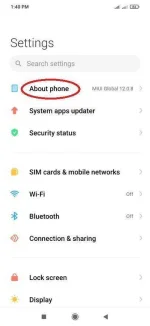
Step 03- Go to About Phone
Step 04- Click MIUI Version
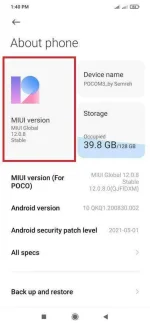
Step 05- Click pa more MIUI Version and you will see like this.
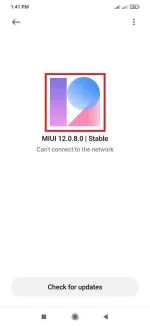
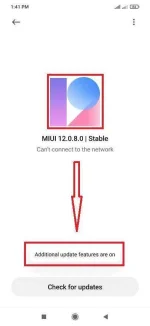
Step 06- Click 3 dots on the upper right corner of your phone,
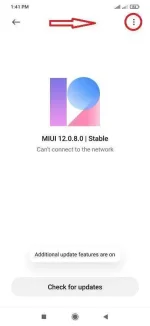
> then Select Choose update package
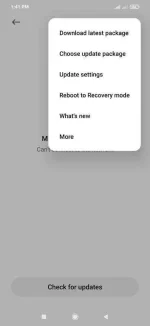
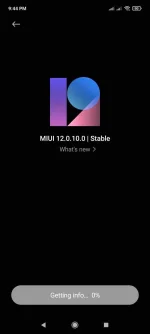
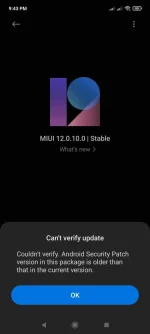
> locate the ROM that you wish to upgrade or downgrade in accordance with your phone firmware compatibility.
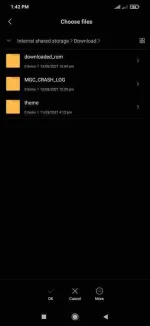
Tick the Erase Data to avoid problem then Next Next lang. If in case nakalimutan ninyo e check, don't worry may solution pa din, Reboot lang into Recovery Mode then Reset Factory lang then good to go nah. Congratulation!
--------------------------------------------------------------------------------------------------------
Like my work or give thumps up and give Love icon if you are happy with it.