 PH
PHThis topic is a continuation of my recent post.
Link : Tutorial - Free COC (Beginners Guide w/ Screenshot) - https://phcorner.org/t/free-coc-beginners-guide-w-screenshot.110497/
Link : Tutorial - Free COC (Beginners Guide w/ Screenshot) - https://phcorner.org/t/free-coc-beginners-guide-w-screenshot.110497/
As what I said in my recent thread, your your-freedom will expired after you use or reach the two (2) hours time limit.
In this discussion, I will teach you guys how to trick the time limit. Means, you can now use your your-freedom permanently. Let's start.
Requirements: Must be updated. Download the two files at XDA Forums.
- XPosed Installer
- XPrivacy
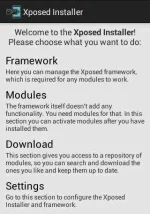
First, clear the data of your your-freedom by going to settings » apps » your-freedom » clear data. Download and install XPosed Installer. Then open it and you'll see like this... (See screenshot below...)
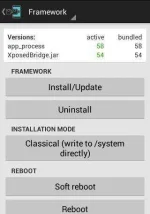
Second, click the Framework and then install it by clicking the Install/Update button. A message box will appear and requesting you to restart or reboot your device. Click yes to reboot. (See screenshot below...)
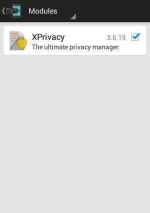
Third, after rebooting your device, open again the XPosed Installer. Go to modules and then mark checked the XPrivacy which you installed awhile ago. After that, close the xposed installer. (See screenshot below...)
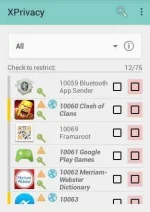
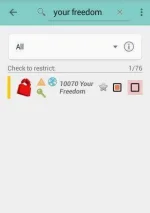
Fourth, open XPrivacy and you'll see all of your apps. Go search Your-Freedom and then click it (click the name). (See screenshot below...)
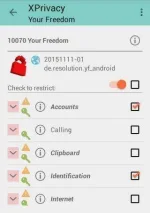
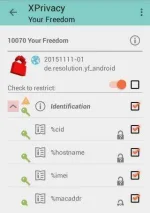
Fifth, check or activate the Check to Restrict. After activating, mark check the Accounts and the Identifications. (See screenshot below...)
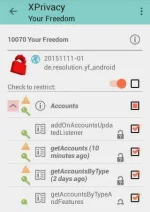
Sixth, mark checked the sub-check box in Accounts and the Identifications. (See screenshot below...)
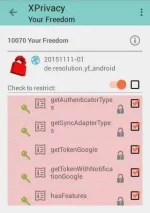
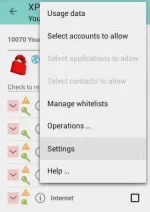
Seventh, after checking all check box in Accounts and the Identifications, click the three (3) dots located in the upper-right side and click the settings. (See screenshot below...)
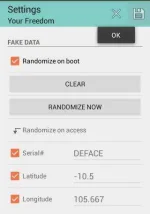
Eight, scroll down a little bit and and you'll see a sub-title Fake Data and mark checked the check boxes from Randomized on Boot until to the bottom SSID. (See screenshot below...)
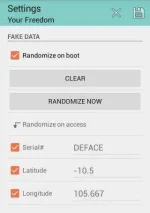
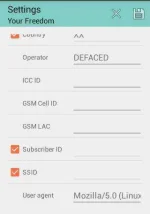
Nineth, scroll back to top and look again for the sub-title Fake Data and you will see a two (2) buttons entitled CLEAR and RANDOMIZED NOW. Click randomized now and save. Look for the Floppy Disk icon at the upper-right side to save. (See screenshot below...)
You are now able to use Your-Freedom again and follow again the tutorials in my recent post.
If you reach the time limit again, just follow this tutorial again
 likewise.
Like my posts for more tutorials…
View all my threads : m0kiee • PHCorner Community - https://phcorner.org/tags/m0kiee/