 PH
PHRequirements:
Windows 7 / Windows 8 / Windows 10
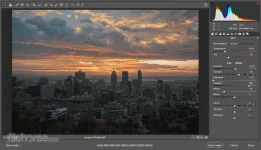
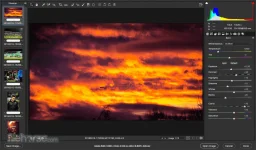
Adobe Camera Raw, which lets you import and enhance raw images, has been a must-have tool for professional photographers right since it was first released in 2003. Applications that support Adobe Camera Raw include Photoshop, You do not have permission to view the full content of this post. Log in or register now., You do not have permission to view the full content of this post. Log in or register now., and You do not have permission to view the full content of this post. Log in or register now.. Additionally, You do not have permission to view the full content of this post. Log in or register now. is built upon the same powerful raw image processing technology that powers Adobe Camera Raw.
Supported camera models by You do not have permission to view the full content of this post. Log in or register now. Camera Raw:
Canon, Casio, Contax, DxO, Epson, Fujifilm, Hasselblad, Kodak, Konica Minolta, Leaf, Leica, Mamiya, You do not have permission to view the full content of this post. Log in or register now., Nokia, Olympus, Panasonic, Pentax, Phase One, Ricoh, Samsung, Sigma, Sony, Yuneec.
Note: Requires You do not have permission to view the full content of this post. Log in or register now..
Download link:You do not have permission to view the full content of this post. Log in or register now.
Windows 7 / Windows 8 / Windows 10
Adobe Camera Raw, which lets you import and enhance raw images, has been a must-have tool for professional photographers right since it was first released in 2003. Applications that support Adobe Camera Raw include Photoshop, You do not have permission to view the full content of this post. Log in or register now., You do not have permission to view the full content of this post. Log in or register now., and You do not have permission to view the full content of this post. Log in or register now.. Additionally, You do not have permission to view the full content of this post. Log in or register now. is built upon the same powerful raw image processing technology that powers Adobe Camera Raw.
Supported camera models by You do not have permission to view the full content of this post. Log in or register now. Camera Raw:
Canon, Casio, Contax, DxO, Epson, Fujifilm, Hasselblad, Kodak, Konica Minolta, Leaf, Leica, Mamiya, You do not have permission to view the full content of this post. Log in or register now., Nokia, Olympus, Panasonic, Pentax, Phase One, Ricoh, Samsung, Sigma, Sony, Yuneec.
Note: Requires You do not have permission to view the full content of this post. Log in or register now..
Download link:You do not have permission to view the full content of this post. Log in or register now.


 , alternative ito if ayaw mo gumamit ng adobe lightroom
  ). Depende pala yan sa version ng photoshop mo kasi if old version eh baka di na gumana. Usually latest version ng Adobe Photoshop yan gagana
  .
. ) este yung mga di na dapat kasali sa pic harharhar
  (kumbaga pampagulo sa pic