❓ Help Unrecognized na ang usb after gawing bootable using rufus.

Status
Not open for further replies.

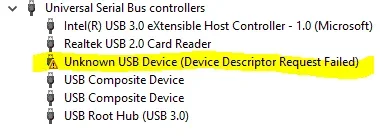
Pa tulong naman po kung pa ano e fix to. Successful naman ang flash ni rufus sa windows 10 bootable. pag eject ko hindi na sya ma detect as bootable. Kahit e insert ko sa ibang computer or usb ports.
USB: KINGSTON DATA TRAVELER 100 G3 32GB
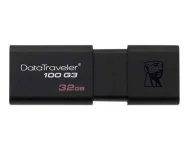
ktc-product-usb-dt100g3-dt100g332gb-1-sm.webp

unrecognized.webp

Di na sya ma detect sa cmd diskpart or disk management kaya di ko ma repair.

 
nangyari na yan sa akin, baka mali lang yung paggamit mo ng rufus, watch mo sa yt. madedetect din ng rufus yang usb mo

pwede rin to:

Step 1: Type cmd in the search box, then you can get the best match called Command Prompt. Right-click on it and choose "Run as administrator".

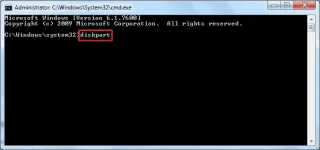
Step 2: On the Command Prompt window, type diskpart and press "Enter".

diskpart-format-step1.webp

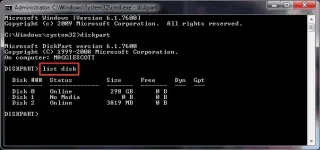
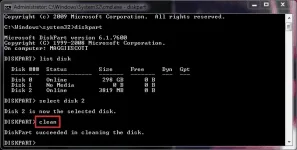
Step 3: Type list disk and press "Enter". According to the list disk information, check which disk is your USB flash drive. For example, disk 2.

diskpart-format-step2.webp

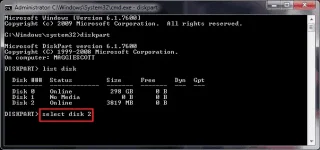
Step 4: Now type select disk 2 and press "Enter".

diskpart-format-step3.webp

Step 5: Type clean. Wait some time for disk erasing.

diskpart-format-step4.webp

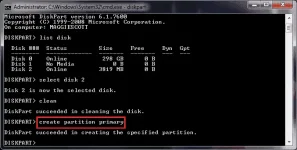
Step 6: Type create partition primary and press "Enter".

diskpart-format-step5.webp

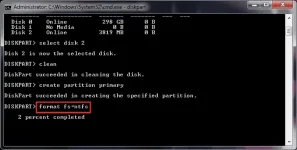
Step 7: After diskpart successfully created the specified partition, type format fs=ntfs and press "Enter". If you prefer other file system formats, change the command ntfs to the desired one such as fat32, exfat, etc.

diskpart-format-step6.webp

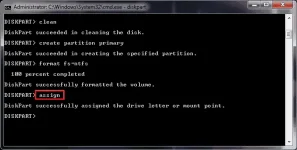
Step 8: Type assign to create a drive letter to the flash drive.

diskpart-format-step7.webp
 
Status
Not open for further replies.

About this Thread

  • 9
    Replies
  • 569
    Views
  • 5
    Participants
Last reply from:
Jeof_ian

Trending Topics

Online now

Members online
1,049
Guests online
935
Total visitors
1,984

Forum statistics

Threads
2,274,917
Posts
28,959,318
Members
1,233,485
Latest member
senpaikatzu_88
Back
Top