PH
PH(Repost di ako marunong maglipat ng thread)
For windows
Download svp 3.1.6
You do not have permission to view the full content of this post. Log in or register now.
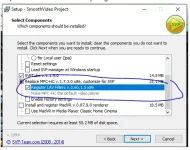
1. Open installer and install everything.
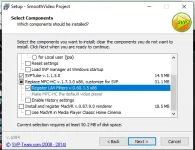
make sure to check all of these:
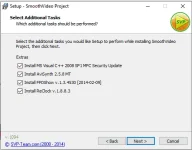
2. Open SVP after installation. SVP icon will show at bottom.
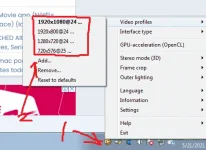
right click svp icon:
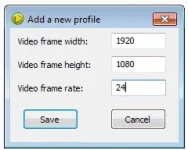
add these video profiles(original video properties that svp will detect and interpolate)

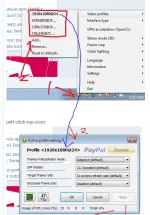
Left click svp icon:

tweak these depending on your pc specs(video would be laggy if your pc cant handle 1 is the smoothest for low end pc)

3. OPEN MPC-HC(Will be installed with svp)
4. Setting up MPC-HC
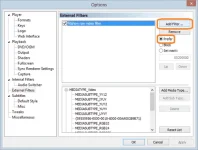
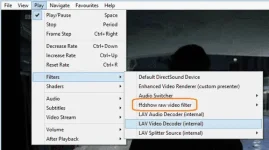
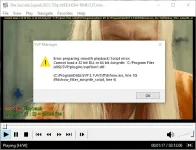
Screenshot below plays 57 fps from original 24fps video. can even play @ 144hz depending on your monitor's screen resolution.

For Android
1.Download MPV Playstore
2.Open settings-video and look for interpolation.

3.Done!
144Hz MI10T PRO kasi gamit ko.
Sa S8 ko nagbiblink so required high end cp.

Enjoy!
For windows
Download svp 3.1.6
You do not have permission to view the full content of this post. Log in or register now.
1. Open installer and install everything.
make sure to check all of these:
2. Open SVP after installation. SVP icon will show at bottom.
right click svp icon:
add these video profiles(original video properties that svp will detect and interpolate)
Left click svp icon:
tweak these depending on your pc specs(video would be laggy if your pc cant handle 1 is the smoothest for low end pc)
3. OPEN MPC-HC(Will be installed with svp)
4. Setting up MPC-HC
- a.k.a. Media Player Classic - Home Cinema
- version used: 1.8.7 (17 July 2019)
- You do not have permission to view the full content of this post. Log in or register now.
Basic settings
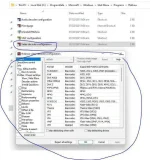
- Open View -> Options main menu item
- In Internal Filterssection
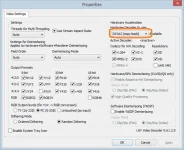
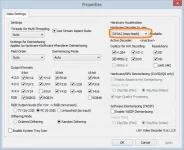
- Click on Internal LAV filter settings -> Video decoder and choose DXVA2 (copy-back) mode
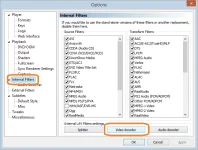
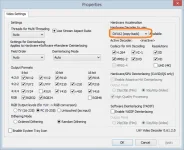
- Click on Internal LAV filter settings -> Video decoder and choose DXVA2 (copy-back) mode
- Open External Filterssection
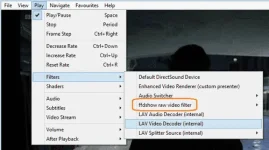
- Click Add Filter... then select ffdshow raw video filter in the list and press OK
- Select ffdshow raw video filter and set Prefer mode then click OK
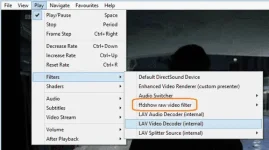
How to check
- List of filters in use should be like this:
- Useful information about current renderer stats can be seen with Ctrl+J hot key.
- Video renderer can be set from Options -> Playback -> Output section.
Screenshot below plays 57 fps from original 24fps video. can even play @ 144hz depending on your monitor's screen resolution.
For Android
1.Download MPV Playstore
2.Open settings-video and look for interpolation.
3.Done!
144Hz MI10T PRO kasi gamit ko.
Sa S8 ko nagbiblink so required high end cp.
Enjoy!