 PH
PHMan with No Name
Forum Guru
Just follow the steps below:
1. Log in to your PayPal account on your web browser.
2. Copy and open this link in another tab on your web browser: You do not have permission to view the full content of this post. Log in or register now.
3. If your account is Verified, you will see this:
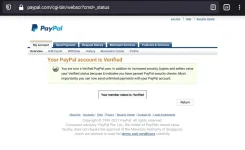
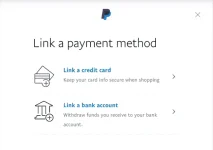
Otherwise, if your account is Unverified, you will see this instead:
-MwNN
1. Log in to your PayPal account on your web browser.
2. Copy and open this link in another tab on your web browser: You do not have permission to view the full content of this post. Log in or register now.
3. If your account is Verified, you will see this:
Otherwise, if your account is Unverified, you will see this instead:
-MwNN


 Di pa verified account ko sa paypal. Ayaw tanggapin pag card ng gcash